How to add subtitles to video
Timed captions, ready for any editor or player
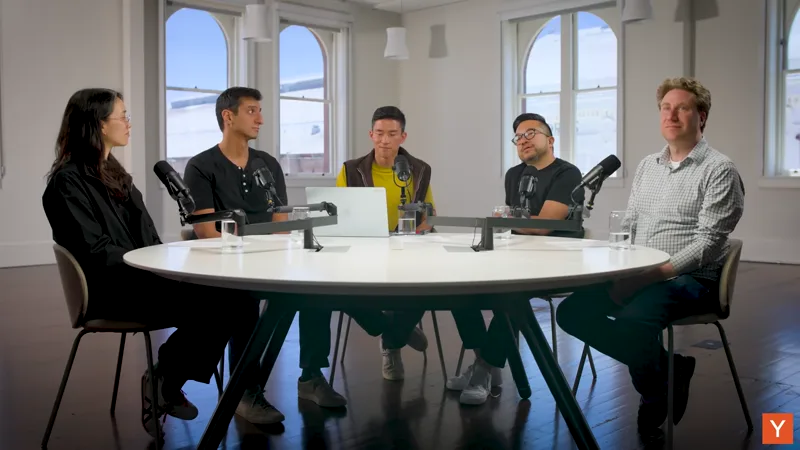 3:35
3:35Short, readable lines timed to the speech, no speaker labels burned in. A standard SRT or VTT file that opens in any editor or player
How to convert video to subtitles in 3 steps
Upload your video
Drop your video or click to upload, MP4, MOV, WebM, MP3, M4A, and more all work
Pick language and model
Auto-detect the language or pick from 100+, then run free Turbo for speed or Studio for top accuracy
- TXTDOCXPDFSRT
Export your subtitles
Read your transcript in seconds, then export timestamped SRT subtitles ready for any editor
Fast, accurate, and private
Fast AI transcription
Upload audio or video and get a clean, accurate transcript back in seconds
Transcribe 100+ languages
Auto-detect the language or pick your own from 100+, across global accents and dialects
Choose your AI model
Switch between free Turbo, Pro, and Studio to match accuracy to every file
Export in any format
Download your transcript as plain text, Word, PDF, or timestamped SRT subtitles on every plan
Free to try
Drop a file and get your transcript with free minutes, no account or card required
Private and secure
Your file is uploaded only to transcribe, removed afterward, and never sold, shared, or used to train models
Why convert video to subtitles?
Adding subtitles to your video turns a video people watch into something they can also read, search, and repurpose. Instead of typing and timing every line by hand, you get clean, editable subtitles in seconds.
Save hours of manual work
Turn video into editable subtitles in seconds instead of typing it out by hand
Make it searchable
Find any quote or moment in your video without replaying the whole recording
Improve accessibility
Give Deaf and hard-of-hearing audiences readable text and meet accessibility standards
Repurpose your content
Turn one video file into articles, notes, captions, and social posts
Ready-to-use captions
Export timed SRT subtitles that drop straight into any video editor or player
Adding subtitles to a video means creating a subtitle file, an SRT or VTT, whose cues line up with the speech, then loading it into your player or editor or burning it into the picture. Typist does the slow part for you: it transcribes the audio with word-level timing and writes short, readable cues, so you skip typing and timing every line by hand.
Only the audio track is transcribed and the picture is ignored, so resolution and frame rate do not change the captions. MP4, MOV, and WebM all work. Typist sets each cue boundary from word-level timing and groups words into short readable lines, so you can soft-load the subtitles or hardcode them into the video later.
Built for how you actually work
Students, podcast nerds, researchers, therapists, consultants, editors. Pick yours
00:00Alright everyone, let's pick up where we left off last week on cellular respiration.
00:11The mitochondrion is the site of cellular respiration, where most of the cell’s ATP is produced.
00:24Remember, ATP is the energy currency - basically every process in the cell pays for it.
00:37The inner membrane folds inward into structures we call cristae.
00:46Those folds dramatically increase the surface area available for the reactions.
00:58More surface area means more electron transport chains, and that means more ATP.
01:12There are three stages: glycolysis, the Krebs cycle, and oxidative phosphorylation.
01:25Be able to tell glycolysis and the Krebs cycle apart - that is a common exam trap.
01:38We go deeper into the electron transport chain Thursday, so read chapter nine first.
- Clean text of the whole lecture
- Click any line to replay that moment
- Highlight, quote and cite with timestamps
Turn lectures into notes you can actually study
Lecture transcription that turns long class recordings into clean, searchable notes
I record every lecture and then stare at a two-hour file I'll never open. I want the words on the page, cleanly, so I can highlight, quote, and cite.
Frequently asked questions
Other ways to transcribe
Convert audio and video to text
Generate subtitles and SRT
Transcribe audio by language
- Transcribe Arabic audio
- Transcribe Armenian audio
- Transcribe Assamese audio
- Transcribe Azerbaijani audio
- Transcribe Belarusian audio
- Transcribe Bengali audio
- Transcribe Bosnian audio
- Transcribe Bulgarian audio
- Transcribe Cantonese audio
- Transcribe Catalan audio
- Transcribe Chinese audio
- Transcribe Czech audio
- Transcribe Danish audio
- Transcribe Dutch audio
- Transcribe Estonian audio
- Transcribe Finnish audio
- Transcribe French audio
- Transcribe Galician audio
- Transcribe Georgian audio
- Transcribe German audio
- Transcribe Greek audio
- Transcribe Gujarati audio
- Transcribe Hebrew audio
- Transcribe Hindi audio
- Transcribe Hungarian audio
- Transcribe Icelandic audio
- Transcribe Indonesian audio
- Transcribe Italian audio
- Transcribe Japanese audio
- Transcribe Javanese audio
- Transcribe Kannada audio
- Transcribe Kazakh audio
- Transcribe Korean audio
- Transcribe Latvian audio
- Transcribe Lingala audio
- Transcribe Lithuanian audio
- Transcribe Macedonian audio
- Transcribe Malay audio
- Transcribe Malayalam audio
- Transcribe Maltese audio
- Transcribe Maori audio
- Transcribe Marathi audio
- Transcribe Nepali audio
- Transcribe Norwegian audio
- Transcribe Persian audio
- Transcribe Polish audio
- Transcribe Portuguese audio
- Transcribe Punjabi audio
- Transcribe Romanian audio
- Transcribe Russian audio
- Transcribe Serbian audio
- Transcribe Slovak audio
- Transcribe Slovenian audio
- Transcribe Spanish audio
- Transcribe Swahili audio
- Transcribe Swedish audio
- Transcribe Tagalog audio
- Transcribe Tamil audio
- Transcribe Telugu audio
- Transcribe Thai audio
- Transcribe Turkish audio
- Transcribe Ukrainian audio
- Transcribe Urdu audio
- Transcribe Vietnamese audio
- Transcribe Welsh audio
Subtitles by language
- Add Spanish subtitles
- Add Chinese subtitles
- Add Hindi subtitles
- Add Arabic subtitles
- Add French subtitles
- Add Japanese subtitles
- Add Korean subtitles
- Add Portuguese subtitles
- Add German subtitles
- Add Russian subtitles
- Add Italian subtitles
- Add Thai subtitles
- Add Vietnamese subtitles
- Add Turkish subtitles
- Add Tamil subtitles
- Add Telugu subtitles
- Add Urdu subtitles
- Add Ukrainian subtitles