How to Transcribe Interviews The Ultimate Guide
Learn how to transcribe interviews with our practical guide. Discover manual methods, powerful AI tools like Typist, and expert tips for fast, accurate results.
Learning how to transcribe an interview is pretty straightforward: you can either type it all out by hand, which is painstakingly slow but can be very precise, or you can use an AI tool like Typist to get a solid first draft in minutes. The real skill is knowing which method fits your project and how to polish the final text so it’s clean, clear, and ready for work.
Why Accurate Transcription Is Non-Negotiable
Getting an interview transcript right isn't just about having a written record. It’s the foundational block for any quality work that follows, and a single mistake can completely change the meaning of a quote or send your analysis off-course. For any professional, accuracy isn't a "nice-to-have"—it's absolutely essential.
Imagine a journalist working against a tight deadline. A misquoted phrase from an important source could wreck their credibility and force a public retraction. It’s just as critical for UX researchers, where the subtle nuances in a user’s feedback are pure gold. If the transcript is off, you might misinterpret a key pain point, sending your development team down the wrong rabbit hole and wasting a ton of time and money.
The Bedrock of Quality Research and Content
For anyone in academia or market research, the transcript is the raw data. Every "um," every pause, every shift in tone can be a meaningful data point. The whole process of analyzing qualitative data for real insights hinges on the fidelity of that text. A clean, precise transcript can save a research team dozens of hours they’d otherwise spend just fixing errors before they can even start coding themes or spotting patterns.
This dedication to accuracy is just as important in content marketing. Marketers are constantly pulling quotes, soundbites, and stats from interviews to build compelling case studies, blog posts, and white papers. If the source material is shaky, everything built on top of it will be, too.
A great transcript is the ultimate source of truth for a project. It stops miscommunication in its tracks, makes sure quotes are attributed correctly, and serves as a permanent, searchable record of exactly what was said.
More Than Just Words
Beyond getting the facts right, a well-made transcript also makes your work more accessible. It opens up your content to people with hearing impairments and helps non-native speakers who might find reading easier than listening. This also ties into data security. A trustworthy transcription process, like the one we detail in our privacy policy, ensures that sensitive conversations are always handled with care.
At the end of the day, think of transcription as a critical first step, not a final chore. It’s what protects the integrity of your work right from the start.
Transcribe a 1-hour recording in under 30 seconds
Upload any audio or video file and get a full transcript with timestamps
Choosing Your Transcription Method
Before you even think about hitting "play" on that interview recording, you need a plan. How are you going to get those spoken words into a usable text format? When it comes to transcribing interviews, you really have two main paths: the old-school manual approach or a modern AI-powered workflow.
Each has its pros and cons, and the best choice for you will come down to what you value most—speed, accuracy, or budget.
The manual way is exactly what it sounds like. Someone sits down, listens to the audio, and types out every single word. The biggest advantage here is the potential for incredible accuracy. A human ear can decipher thick accents, navigate dense technical jargon, and filter out background noise in ways that software sometimes can't.
But that level of precision comes at a cost. It's painstakingly slow. A widely accepted rule of thumb is that it takes four to six hours of work to transcribe just one hour of clear audio. If your recording has any issues, that number can climb fast. This makes it either a huge time-sink if you do it yourself or a significant expense if you hire someone.
The Rise of AI Transcription
Then there's the other side of the coin: AI transcription tools like Typist. This approach uses sophisticated speech recognition to automatically convert your audio file into text. The benefits are pretty obvious—it's incredibly fast and affordable. A task that would take a person half a day can be done by an AI in just a few minutes, giving you a complete first draft to work with almost instantly.
If you're curious about the tech that makes this possible, we've broken down how we built our system in this post about building the fastest AI audio transcription.
This visual really drives home why the initial transcription process is so critical. The quality of your final work, whether it's a published article or academic research, is built on the foundation of an accurate transcript.
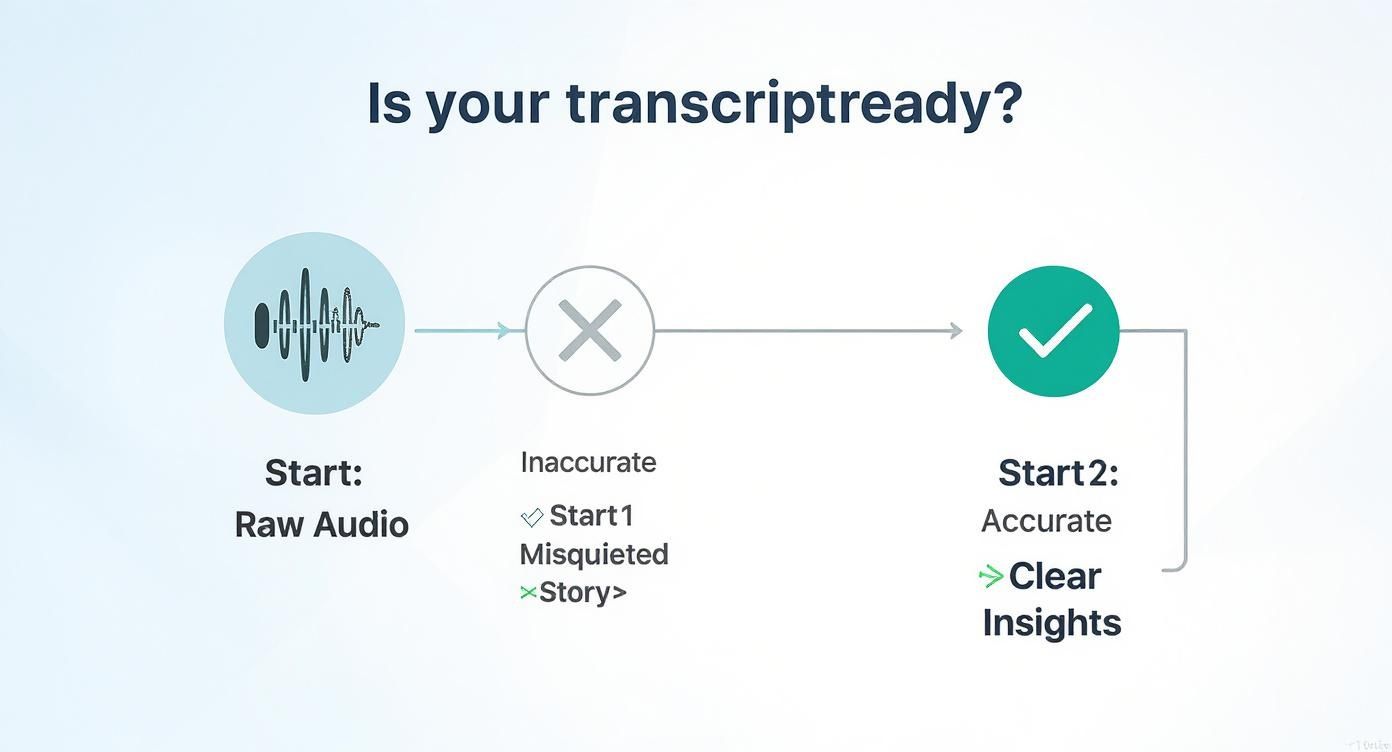
This is where today's AI tools really shine. They close the gap between raw speed and the accuracy you need. While no AI is 100% perfect, a tool like Typist delivers a highly accurate draft that you can then polish up in a smart editor. With features like synchronized audio and text, you can just click on a word, hear the exact moment it was said, and make any fix in seconds.
This completely changes the game. Transcription stops being a tedious typing chore and becomes a much quicker editing and review process.
For most researchers, journalists, and content creators, the combination of AI speed and human review offers the best of both worlds. It gives you a near-instant first draft, saving you hours of manual labor while still allowing you to ensure the final transcript is 100% accurate.
Manual vs AI Transcription at a Glance
Still on the fence? This table breaks down the key differences to help you decide which path makes the most sense for your project.
| Feature | Manual Transcription | AI Transcription (with Typist) |
|---|---|---|
| Speed | Very slow (4-6 hours per audio hour) | Extremely fast (minutes per audio hour) |
| Cost | High if outsourced, huge time investment if DIY | Low and affordable |
| Accuracy | Potentially very high with a skilled human transcriber | High-quality first draft (98%+), easily polished to 100% |
| Workflow | Tedious listening, pausing, and typing | Fast automated draft, followed by quick review and editing |
| Best For | Extremely poor audio quality or projects with a large budget | Most projects: researchers, journalists, podcasters, students |
Ultimately, choosing your method is a balancing act. If your audio is incredibly challenging and you have an unlimited budget, manual work might be an option. But for just about everyone else who needs to be efficient without sacrificing quality, an AI-assisted workflow is the way to go.
Try Typist free - Get 3 transcripts daily
The Manual Transcription Workflow
https://www.youtube.com/embed/JGAYpS5LJTY
If you're set on transcribing an interview by hand, get ready to settle in for a focused, methodical task. While AI tools like Typist have completely changed the game, knowing how to do it manually is still a valuable skill. It really drives home the amount of effort involved and gives you a new appreciation for what accuracy truly costs in terms of time.
At its core, manual transcription is a repetitive loop: listen, pause, type, rewind. You’ll play a tiny snippet of audio—maybe just a few seconds—hit pause, and type out what you just heard. Then you'll rewind a second or two to make sure you got it right before moving on. You repeat this cycle over and over, sometimes hundreds of times, for just one interview.
Getting Your Gear Ready
To tackle this efficiently, you'll need a few key tools. Don't skimp on good equipment; it can make a seriously tedious job just a bit more bearable.
- High-Quality Headphones: Noise-canceling, over-ear headphones are a lifesaver. They block out distractions and help you catch mumbled words or tell speakers apart when the recording isn't crystal clear.
- Text Editor: You could use Microsoft Word or Google Docs, but honestly, a basic editor like Notepad often works better. It avoids any weird auto-formatting that can mess up your work.
- Optional Foot Pedal: This is a pro-level move. A foot pedal lets you control the audio playback (play, pause, rewind) with your foot. It sounds minor, but keeping your hands on the keyboard full-time is a massive time-saver.
Dealing with Messy Audio and Keeping It Consistent
Let's be real: not every interview is recorded in a perfect studio. You're going to run into crosstalk (people talking over each other) and moments where the audio is completely garbled. The trick is to have a plan for how you’ll mark these issues consistently.
Before you even start typing, create a quick style guide for yourself. This is just a simple document that outlines your rules. For instance:
- Speaker Labels: How will you identify speakers? Decide on a format and stick to it, whether it's "Interviewer:" or just their initials, like "JS:".
- Inaudible Words: When you can't make out a word, use a standard placeholder. Something like
[inaudible 00:15:32]with a timestamp is perfect. It keeps the transcript honest without forcing you to guess. - Non-Verbal Cues: Don't forget to note important background sounds that add context, like
[laughs]or[phone rings].
Mastering the manual workflow is a foundational skill. It forces you to listen with intense focus and builds an appreciation for the details that AI tools now handle in seconds, making the eventual switch to a platform like Typist feel like a massive upgrade.
Going through this process, even once, makes it incredibly clear why so many professionals have moved to automated solutions. The sheer time and mental drain involved makes manual transcription a tough sell for most projects today.
Upload MP4 or MOV, export SRT subtitles. Works with Premiere, Final Cut, DaVinci Try it free
A Smarter Workflow with Typist
While there's a certain old-school discipline to transcribing by hand, let's be honest—it’s a huge time sink. The modern approach is all about working smarter, not harder. This is where AI-powered tools come in, completely changing the game from a tedious chore into a quick review process. With a platform like Typist, you stop being a typist and start being an editor.
The whole workflow is incredibly simple. You sign up, upload your audio or video file, and let the AI do its thing. It doesn't matter if it's an MP3 from a podcast or an MP4 from a focus group; Typist generates a full draft transcript in minutes. We're talking about a task that would have eaten up your entire afternoon, done before you finish your coffee.
This kind of speed is a direct result of just how far artificial intelligence has come. These tools give you almost instant access to the content of your interviews and can handle a massive volume of audio. This makes them perfect for big projects with dozens of recordings.
Start transcribing with Typist →
From Raw Text to Polished Transcript
Once the AI finishes, you get a draft transcript. This is where the real work—and the real magic—begins. Typist isn't just a simple speech-to-text converter; it's an interactive editing suite designed to help you get to a perfect final document as quickly as possible.
Here are a few features I find genuinely useful:
- Synchronized Audio and Text: This is a lifesaver. Every word in the transcript is synced to the exact moment in the audio. If you read a sentence that sounds a bit off, you just click it and instantly hear the original recording. No more hunting and pecking to find the right spot.
- Easy Speaker Labeling: The AI automatically identifies when different people are talking. All you have to do is assign their names. It keeps the whole conversation neat and easy to follow.
- Simple Search and Replace: Ever had an AI that just can't get a specific brand name or bit of jargon right? Instead of fixing it over and over, you can correct all instances at once. It’s a huge time-saver.
This fundamentally changes how you approach transcription. You’re no longer glued to the pause button. Instead, you're an editor, sweeping through a solid first draft and making it perfect.
Typist handles the heavy lifting of turning speech into text. That frees you up to focus on what humans do best: catching the nuances, making critical corrections, and ensuring the final transcript is professional and accurate.
Gaining Back Your Most Valuable Asset: Time
Ultimately, the biggest win you get from an AI workflow with Typist is the sheer amount of time you get back. It's a game-changer. That time can be spent conducting more interviews, analyzing your findings, or just moving on to the next task on your list.
By letting technology handle the most repetitive parts of the job, you can focus on what actually matters—the insights buried in your conversations.
Turn podcast episodes into blog posts Start transcribing
Polishing Your Transcript Like a Pro
Getting that first draft from a tool like Typist is a huge time-saver, but your work isn't over just yet. The real magic happens in the editing phase. This is where you take a raw, machine-generated text and turn it into a professional, polished document that’s ready for anything.
This final review is all about catching those subtle errors that even the sharpest AI can overlook. It’s your quality control pass. You’ll be scanning for correctly spelled names, industry-specific jargon, and consistent speaker labels. This step turns a simple text file into a reliable record of the conversation.
Correcting Names and Technical Jargon
Your first editing pass should be a hunt for the details AI often fumbles. Even the best systems might misspell a unique last name or get tripped up by technical acronyms specific to your field. For example, an AI might hear "SaaS" but write "sass," or it might misinterpret a company name if it's spoken quickly.
I always recommend doing a quick read-through while listening to the audio. It's the fastest way to spot and fix these small but crucial mistakes. Getting these right ensures the final document looks professional and avoids any confusing (or embarrassing) errors.
This is a constant challenge in academic settings, where researchers have to balance the speed of AI with the need for absolute precision on specialized terms. Data privacy and high-quality outputs are non-negotiable, which makes a solid review process absolutely essential.
Clean Verbatim vs. True Verbatim
One of the most important decisions you'll make while editing is which transcription style to use. Are you creating a word-for-word record, or do you need a cleaned-up, more readable version?
- True Verbatim: This style captures everything—every single "um," "uh," stutter, and false start. It’s a must for legal work or psychological research where every utterance can be significant.
- Clean Verbatim: This is what most people need for business, content creation, and general research. You edit out all the filler words, stutters, and repetitions that clutter the text without adding meaning. The result is a transcript that’s much easier to read, without changing what the speaker actually said.
For most projects, clean verbatim is the best choice. It gets the core message across clearly and makes the content feel professional and accessible to your audience.
If your team needs a custom style guide or has very specific formatting rules, feel free to get in touch with our team to see how we can help.
Final Proofread for Clarity
Your last step is one final read-through, this time without the audio. This helps you focus solely on grammar, punctuation, and flow. You’ll catch awkward sentences and punctuation mistakes you might have missed when your brain was focused on listening.
A clean, well-formatted transcript isn't just easier to work with—it's a direct reflection of the care and quality you put into your work.
Frequently Asked Transcription Questions
Even with the best workflow, you're bound to hit a few snags when transcribing interviews. I get these questions all the time, so let's tackle some of the most common ones to keep you moving.
How Long Does It Take to Transcribe One Hour of Audio?
This is the classic "it depends" question, but I can give you some solid benchmarks. If you're a skilled typist going at it manually, a clean one-hour recording with a single speaker will probably take you four to six hours. That time can balloon quickly if you're dealing with poor audio quality or people talking over each other.
Now, compare that to an AI-powered tool. Typist will churn out a first draft of that same one-hour file in just a few minutes. Your job then becomes an editor, not a typist. You'll spend maybe 30 to 60 minutes cleaning it up, depending on how complex the audio is.
The difference is massive. What takes half a workday manually can be mostly finished by AI before you’ve finished your first cup of coffee. This shift from manual labor to quick review is the single biggest advantage of using an AI-assisted workflow.
For more deep dives into transcription tech and strategies, we cover a lot of ground over on the Typist blog.
Start transcribing with Typist →
What Is Verbatim vs. Clean Verbatim Transcription?
Knowing the difference here is crucial because it determines what your final transcript will look and feel like.
-
True Verbatim: This is the ultra-literal approach. You capture everything—every "um," "uh," stutter, and false start. You even note things like
[laughs]or[coughs]. This is essential for things like legal depositions, where every single sound can be important. -
Clean Verbatim: This is what most people need for business, research, or creating content. It’s all about readability. You’ll edit out all the distracting filler words and stumbles, correcting minor grammar mistakes along the way, but you never, ever change the speaker's meaning. The result is a polished, professional transcript that’s easy to read and pull quotes from.
Honestly, for almost any interview you're doing, clean verbatim is the way to go. It's all about clarity.
How Do I Handle Inaudible Words in the Audio?
You will, at some point, run into a word or phrase you just can't make out. It happens to everyone. The golden rule here is: never guess. The integrity of your transcript is everything.
The professional way to handle this is to mark the spot clearly. Just use a timestamp and a simple label in brackets.
- If you have no idea what was said: Use something like
[inaudible 00:21:14]. - If you have a pretty good guess but aren't certain: You can note it with a question mark, like this:
[data modeling? 00:21:14].
This shows you're being transparent about any gaps in the audio. When you're working in a tool like Typist, you can drop these notes right into the editor as you listen, so it doesn't break your stride.
Transcription that works in 99+ languages
Accurate results regardless of accent or language — just upload and go
How Can I Get Better Audio for Transcription?
Want to know the secret to easier, more accurate transcriptions? It's getting great audio from the start. Garbage in, garbage out, as they say.
Here are a few dead-simple tips that make a world of difference:
- Use an External Microphone: Your laptop's built-in mic just won't cut it. A decent external mic is one of the best investments you can make for clear sound.
- Find a Quiet Room: Record somewhere with minimal background noise. Avoid echoey spaces. Rooms with carpets, curtains, and other soft surfaces are your best friend.
- Get the Mic Close: Position the microphone as close to the person speaking as you can without being awkward. You want their voice to be the loudest thing the mic hears.
- Do a Quick Sound Check: Before you hit record on the real deal, do a 30-second test. It's the only way to know for sure if your levels are good and the sound is clear.
A few minutes spent on getting good audio will save you literal hours of agony on the back end. Trust me on this one.