The Ultimate Guide to the Best Audio to Text Transcription Tools
Discover the best audio to text transcription service for your needs. We compare top AI tools on accuracy, speed, and features to help you choose wisely.
Trying to find the right audio-to-text transcription service can be a real headache. Whether you're a content creator, researcher, or business professional, what you really need is a tool that’s accurate, fast, and doesn't require a manual to figure out. AI-powered tools like Typist have really changed the game, turning audio files into clean, usable text in just a few minutes.
Understanding the Modern Transcription Landscape
Not too long ago, transcription meant waiting days for a human to type everything out. Now, AI platforms deliver results almost instantly. This isn't just about saving time—it’s about making your audio content more valuable and your workflow a whole lot smoother. Let's break down what separates a genuinely useful tool from one that just adds to your workload.
The demand for transcription is booming. The global market hit around USD 2.1 billion in 2023 and is expected to climb to USD 5.3 billion by 2032, driven by everyone from podcasters and journalists to researchers and students.

Core Factors for Your Decision
When you're comparing services, cut through the marketing noise and focus on what actually matters for your work. A lot of tools are out there, but the user experience can be night and day.
Let’s put this into perspective:
| Feature Comparison | Manual Services | Basic AI Tools | Typist (Advanced AI) |
|---|---|---|---|
| Turnaround Time | Hours to Days | 15-30 Minutes | Under 5 Minutes |
| Accuracy | High (human error) | Moderate to High | High to Very High |
| Cost Model | Per Minute/Hour | Tiered Subscription | Generous Free Tier |
| Key Use Case | Legal/Medical | Basic Notes | Content Creation, Research |
Ultimately, the best tool is the one that fits your needs. Are you turning interviews into articles? Creating searchable archives of team meetings? Knowing what you need is the first step. For more tips, you can check out our content strategy guides over on the Typist blog.
Transcription that works in 99+ languages
Accurate results regardless of accent or language — just upload and go
Digging into Core Transcription Features
Forget the marketing hype for a second. What truly separates the best audio-to-text transcription services from the rest are the features that actually make your life easier. High accuracy is great, but how does the tool handle thick accents, background chatter, or niche industry jargon? A top-tier platform delivers much more than just a wall of text.
The global market for these tools is booming. This isn't just a tech trend; it's a response to real demand from professionals who need every detail captured perfectly. You can dive deeper into what's driving this growth in detailed industry research.
This explosive growth really highlights why reliable, powerful features are no longer a nice-to-have—they're essential.

The Time-Saving Features You Can't Live Without
At its heart, a great transcription tool is designed for pure efficiency. These are the core functions that distinguish a professional service from a simple file converter.
- Automatic Speaker Identification: This is an absolute lifesaver for interviews, podcasts, or any meeting with more than one person. It automatically detects and labels who's speaking, so you don't have to waste time figuring it out yourself.
- Precise Timestamping: Anyone working with video or conducting research knows how vital this is. Timestamps connect each word to its exact moment in the audio, making it easy to find key quotes or sync text with video footage.
- Flexible Export Formats: Your final transcript needs to work for your specific project. A good service lets you export in multiple formats, like TXT for basic notes, SRT or VTT for video captions, and DOCX for polished documents.
A truly great transcription tool understands that the raw text is just the starting point. The real value comes from an intuitive editing interface that makes correcting the occasional error fast and effortless.
Tools like Typist build these core features right into a clean, easy-to-use platform. By getting these fundamentals right, Typist makes the entire process—from uploading your file to exporting the final text—incredibly smooth. You can get a full rundown of the platform's features and user responsibilities in the Typist terms of service.
Try Typist free - Get 3 transcripts daily
Why a Good User Interface Is Everything
Let's be realistic: even the most accurate AI will make a few mistakes. A clunky or confusing editor can turn a simple five-minute cleanup into a half-hour headache.
The best platforms are designed with the user in mind. They let you click on any word in the transcript, instantly play that exact audio snippet, and make corrections on the fly. This synchronized playback is key—it ensures your edits are quick, accurate, and faithful to the original recording, saving you a ton of time and frustration.
What Really Matters in a Transcription Service
When you're picking an audio-to-text transcription service, it's easy to get lost in a sea of features. But what truly makes a difference in your day-to-day work? It all boils down to a handful of core performance metrics.
Let's cut through the noise and compare solutions based on what actually impacts your efficiency and the quality of your output. We'll look at four key areas: accuracy, speed, language support, and pricing. This isn't just a list of pros and cons; it's a practical look at how these services hold up in the real world.
Accuracy and Reliability
Accuracy is everything. If a transcript is riddled with errors, it’s not saving you time—it’s creating more work. While most services boast high accuracy rates, the true test comes with messy audio, like a podcast with background noise, a meeting with people talking over each other, or a speaker with a thick accent.
The gap between 95% and 98% accuracy might not sound like much, but it can easily mean doubling your editing time. This is where advanced AI tools like Typist pull ahead. They use sophisticated models trained on massive, diverse datasets. This helps them understand context, correctly distinguish between words like "their" and "there," and even pick up on niche industry jargon. The result is a much cleaner first draft that needs far fewer corrections.
Upload MP3, WAV, MP4 or any media file — get accurate text back instantly Upload a file
Speed and Turnaround Time
Let's be honest, no one has time to wait days—or even hours—for a transcript anymore. The biggest win with modern AI platforms is their speed. You can upload an hour-long audio file and get a full transcript back in just a couple of minutes.
This kind of near-instant turnaround completely changes how you can work. A content creator can start writing a blog post based on a podcast interview the moment it ends. A project manager can send out searchable, actionable meeting notes while the conversation is still fresh. This shift from long delays to immediate results is a massive efficiency boost.
Language and Dialect Support
If you work with international teams or create content for a global audience, language support is a deal-breaker. The best tools don't just cover the big languages; they can accurately handle a wide array of dialects and accents.
A service that can tell the difference between Australian, Scottish, and Indian English is powered by a seriously robust AI.
A platform's ability to handle linguistic diversity is a direct indicator of its underlying technological strength. It ensures that your content remains accessible and accurately represented, regardless of who is speaking.
This is critical for all sorts of projects, from academic interviews with international subjects to creating subtitles for a multinational audience. Solid language support means you can take on any audio file without worrying if the service can handle it.
Pricing and Value
Transcription pricing can be all over the place. You'll see everything from per-minute charges to confusing credit bundles. For anyone who needs transcripts regularly, per-minute rates can add up fast, and keeping track of your usage becomes another task on your to-do list.
A simple, flat-rate subscription model is often the way to go for predictable costs and better overall value. Typist, for instance, offers straightforward plans and even a generous free tier for daily use. This model lets you stop counting minutes and just focus on getting your work done, without stressing about a surprise bill at the end of the month.
To put it all in perspective, let's break down how different services typically perform.
Transcription Service Feature Comparison
Here’s a quick summary of what you'll find in the market and how a modern tool like Typist stacks up against the industry standard.
| Feature | Typical Industry Standard | The Typist Advantage |
|---|---|---|
| Accuracy | Varies widely; struggles with noise/accents | High, consistent accuracy with advanced models |
| Speed | Minutes to hours per file | Near-instant results, often in under 5 minutes |
| Language Support | Limited to major languages | Extensive support for 99+ languages and dialects |
| Pricing Model | Confusing per-minute rates or credit systems | Simple, predictable plans with a generous free tier |
Ultimately, the right tool is one that delivers on all fronts—giving you a powerful combination of quality, speed, and value that you can rely on every day.
Start transcribing with Typist →
How AI Changed the Transcription Game for Good
What’s the secret behind the best audio-to-text transcription services today? It’s not some hidden trick—it’s the powerful duo of Artificial Intelligence (AI) and Machine Learning (ML). These technologies have completely transformed transcription, taking it from a tedious, manual chore to something that happens almost instantly. We're not just converting audio into a block of words anymore; we're getting smarter, more structured results because the AI understands language in context.
At its heart, an AI transcription model learns from massive libraries of spoken language. Think countless hours of audio, from crystal-clear speeches to noisy conference calls. This deep training helps it pick up on speech patterns, navigate different accents, and even make sense of niche industry jargon with impressive accuracy. Unlike older software that just matched sounds, these modern models learn the connections between words, which is how they can intelligently place a comma or start a new paragraph.
This is a huge step up from basic automation. A tool like Typist won't just dump a wall of text on you. Instead, you get a clean, organized document that’s ready for analysis, because the AI is smart enough to identify different speakers and structure the conversation logically. This underlying technology is what makes today’s transcription tools so powerful.
From Messy Audio to a Clean Transcript
The real-world benefits of using AI for transcription are easy to see. Advanced models can cut through background chatter, figure out who’s talking even when people speak over each other, and deliver a surprisingly accurate transcript from less-than-perfect audio. And because the models are always learning, the technology just keeps getting better.
This simple chart breaks down when to choose which type of transcription service.
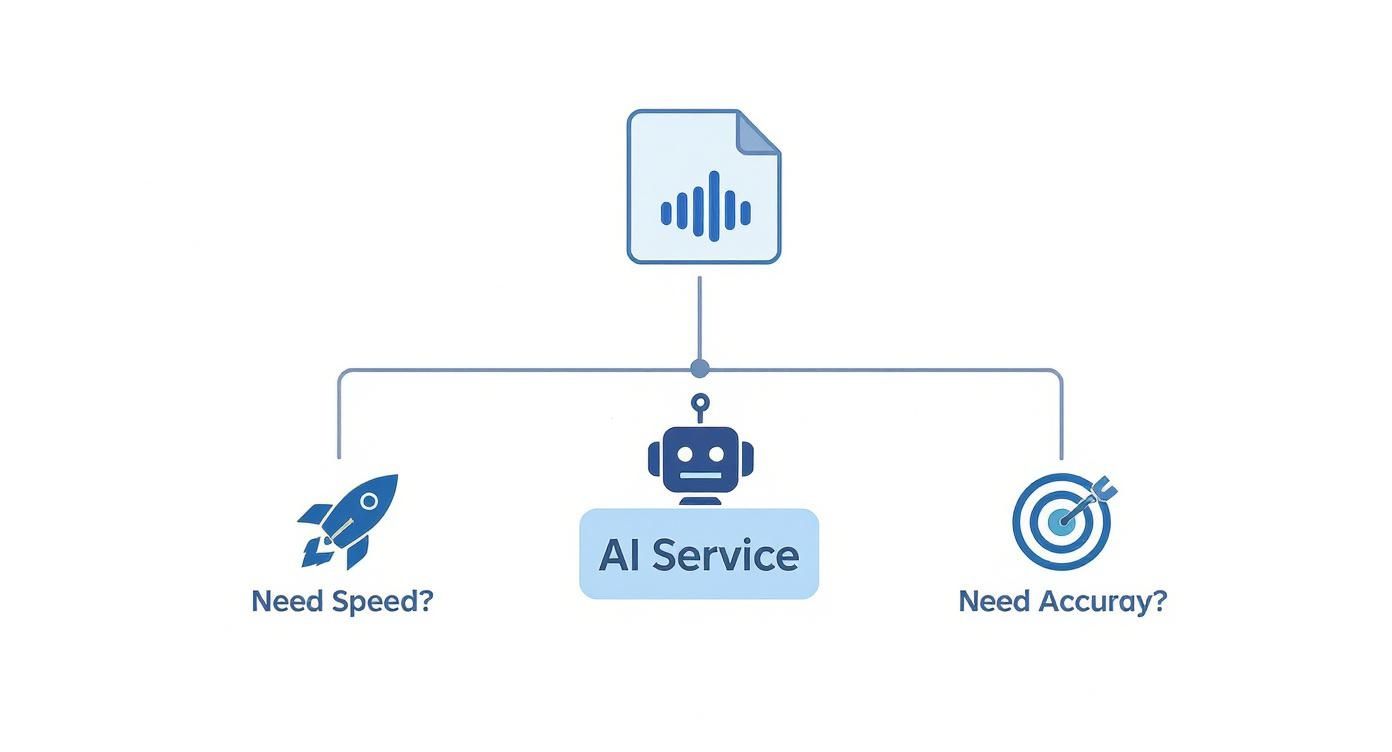
As you can see, AI-powered services are really in a league of their own when it comes to balancing speed with accuracy. For most professional and creative needs, they’re the clear winner.
The big difference is this: modern AI doesn't just write down what it hears; it interprets. It follows the natural flow of a conversation, applies grammar rules, and turns raw audio into a polished, useful document in a matter of minutes.
The engineering needed to achieve this kind of speed is incredibly sophisticated. It takes a lot of know-how to fine-tune AI models for performance without losing accuracy. It's also worth noting how AI has impacted related fields; for instance, many of the same principles apply to the latest text-to-speech technologies, showing just how versatile this tech really is.
Where Transcription Shines in the Real World
Never miss a word from lectures or interviews
Record once, transcribe instantly. Search, export, and reference later

It's one thing to talk about features, but it's another to see how a great transcription service actually works in the wild. A solid tool does more than just turn speech into text; it opens up new ways to work and smooths out old, clunky processes. In fields from media to academia, fast and accurate transcription is a genuine game-changer.
Let's walk through a few real-life situations where a high-quality tool like Typist can make a huge difference. Each one tackles a common headache and shows how the right software not only saves time but also creates brand-new opportunities.
For Content Creators and Podcasters
You just wrapped up a fantastic one-hour podcast interview, and it's full of gold. Now what? You need to turn that conversation into a blog post that ranks on Google, create detailed show notes, and pull out shareable clips for social media. If you were to do that by hand, you’d be stuck listening and typing for hours.
This is exactly where a powerful transcription tool becomes a non-negotiable part of your toolkit.
- Blog Posts and SEO: Just upload the audio file to Typist, and within minutes, you have a full, accurate transcript. This becomes the perfect base for a long-form blog post, already loaded with the keywords and natural phrases search engines are looking for.
- Video Captions: If you’re running a video podcast, you can export the transcript as an SRT or VTT file. Pop that file into your video platform, and you’ve got instant, accurate captions. This makes your content accessible and keeps viewers engaged.
- Show Notes and Quotes: Forget re-listening to find the good parts. A quick scan of the transcript lets you pull out key takeaways, memorable quotes, and important topics for your show notes, making your content more professional and easy to digest.
When you turn spoken words into searchable text, you multiply the value of every single recording. An audio file transforms into a whole suite of content assets, ready to be deployed across all your channels.
Three free transcriptions. No credit card. Get started
For Researchers and Journalists
For a researcher or a journalist, interviews are everything. A story or study often hinges on one critical quote or a specific piece of data buried in a long conversation. The pain point has always been finding that one moment without scrubbing through hours of audio. It's a slow, frustrating process where mistakes are easy to make.
An accurate transcript completely changes the game. Instead of endless rewinding and re-listening, you can just hit Ctrl+F and search the text for a name, phrase, or topic. This lets you find exact quotes and verify facts with incredible speed and confidence, cutting down your analysis and writing time dramatically.
For Business Teams and Meetings
We all know that meetings are where decisions happen, but so much of that value disappears the second the call ends. Who agreed to handle which action item? What was the final call on that big project? Relying on memory or scribbled notes almost guarantees something will get missed.
Transcribing your meeting recordings with a service like Typist gives you a perfect, searchable record. It becomes the official source of truth, clarifying who owns what, documenting decisions, and keeping everyone on the same page. It's also a lifesaver for anyone who missed the meeting and a fantastic reference for future work.
Try Typist free - Get 3 transcripts daily
So, Which Transcription Service Should You Choose?
After putting these tools to the test, one clear winner emerged for its sheer performance and straightforward design: Typist. We recommend it as the best all-around audio-to-text solution because it nails the essentials—accuracy, cost, and ease of use—without any fuss.
Typist just works. It delivers incredibly accurate transcripts even with challenging audio, the interface is clean and intuitive, and the pricing is refreshingly simple. It feels less like a complex piece of software and more like a reliable assistant ready to help you get things done.
Focusing on What Actually Helps
So many transcription services get bogged down in confusing credit systems or expensive per-minute rates. Typist sidesteps all that with a model that’s built for real-world use.
- Truly Free Access: The free plan gives you three transcripts every single day. That's generous enough for regular, ongoing work, not just a one-time trial.
- Your Data Stays Yours: Privacy is a core part of its design, so you can be confident your files and transcripts are kept secure.
Typist was built on a simple premise: transcription shouldn't be complicated or expensive. The goal is to provide a rock-solid service that fits right into your workflow, whether you're a student, a journalist, or a podcaster.
This user-first approach is clear in every part of the experience. The fast processing speeds and minimalist design are all there to save you time and effort. If you want to see for yourself, you can check out Typist here.
Frequently Asked Questions
Got questions? You're not alone. Here are some of the most common things people ask when looking for the right audio-to-text transcription service.
How Accurate Is AI Transcription?
You'd be surprised. Modern AI tools can hit accuracy rates of 95% or higher, especially when they're working with clear, high-quality audio. Of course, things like loud background noise, thick accents, or people talking over each other can trip them up.
That's where the advanced services really shine. A tool like Typist uses sophisticated models to cut through the noise, delivering a transcript that needs minimal cleanup.
Is My Data Secure with Online Services?
This is a big one, and it should be. Any reputable service puts a huge emphasis on protecting your data. They'll use strong encryption to keep your files safe, both when you're uploading them and when they're stored on their servers.
Always check for a clear and transparent privacy policy. For example, you should be able to easily find information like the Typist privacy overview, which spells out exactly how your files are handled.
How Long Does Transcription Take?
This is where AI blows manual transcription out of the water. A human might take hours—or even a full day—to transcribe an hour of audio. An AI platform can often turn that same file around in just a few minutes.
This speed is a game-changer for anyone on a tight deadline or who needs to get to the text version of their audio right away.
The best audio-to-text transcription services combine this incredible speed with high accuracy, delivering a reliable draft almost instantly so you can move on to the next step of your project without delay.
Can AI Handle Multiple Speakers and Languages?
Absolutely. The top-tier platforms are built for real-world audio, which is often messy. They can automatically detect who is speaking and label them, making interviews and meeting notes a breeze to read through.
They're also fantastic for global work. Leading tools support a huge range of languages and dialects, making them an essential part of the toolkit for international teams and content creators.