Best Transcription Software for Interviews
Discover the best transcription software for interviews. Our guide compares key features to help you choose the fastest and most accurate tool.
If you've ever transcribed an interview by hand, you know the pain. It’s a slow, tedious process that eats up hours you could be spending on more important work. For researchers, journalists, and anyone on a team that relies on interviews, finding the right transcription software for interviews is a game-changer. Tools like Typist offer a level of speed and precision that manual methods just can't touch, turning a dreaded task into a quick, automated part of your workflow.
Why Accurate Interview Transcription Matters
For anyone conducting interviews, the raw audio file is just the starting point. The real work—analyzing quotes, pulling insights, or creating content—can't begin until those spoken words are converted into text. But getting an accurate transcript is filled with potential pitfalls that can seriously compromise your results.
Let's be honest, manual transcription is a grind. It typically takes four to six hours to get through just one hour of audio. Not only is it a massive time-sink, but it's also mentally exhausting. This fatigue inevitably leads to mistakes, especially when you're dealing with tricky situations like:
- Multiple Speakers: Trying to figure out who said what and when is a classic headache without software to help.
- Background Noise: A noisy café or a bad connection can make words impossible to decipher, leading to gaps or plain old guesswork.
- Complex Terminology: If you're not a subject matter expert, specialized jargon or technical terms are incredibly easy to mishear and mistype.
The infographic below really drives home the difference between the old, messy manual process and the clean, efficient workflow you get with modern tools.
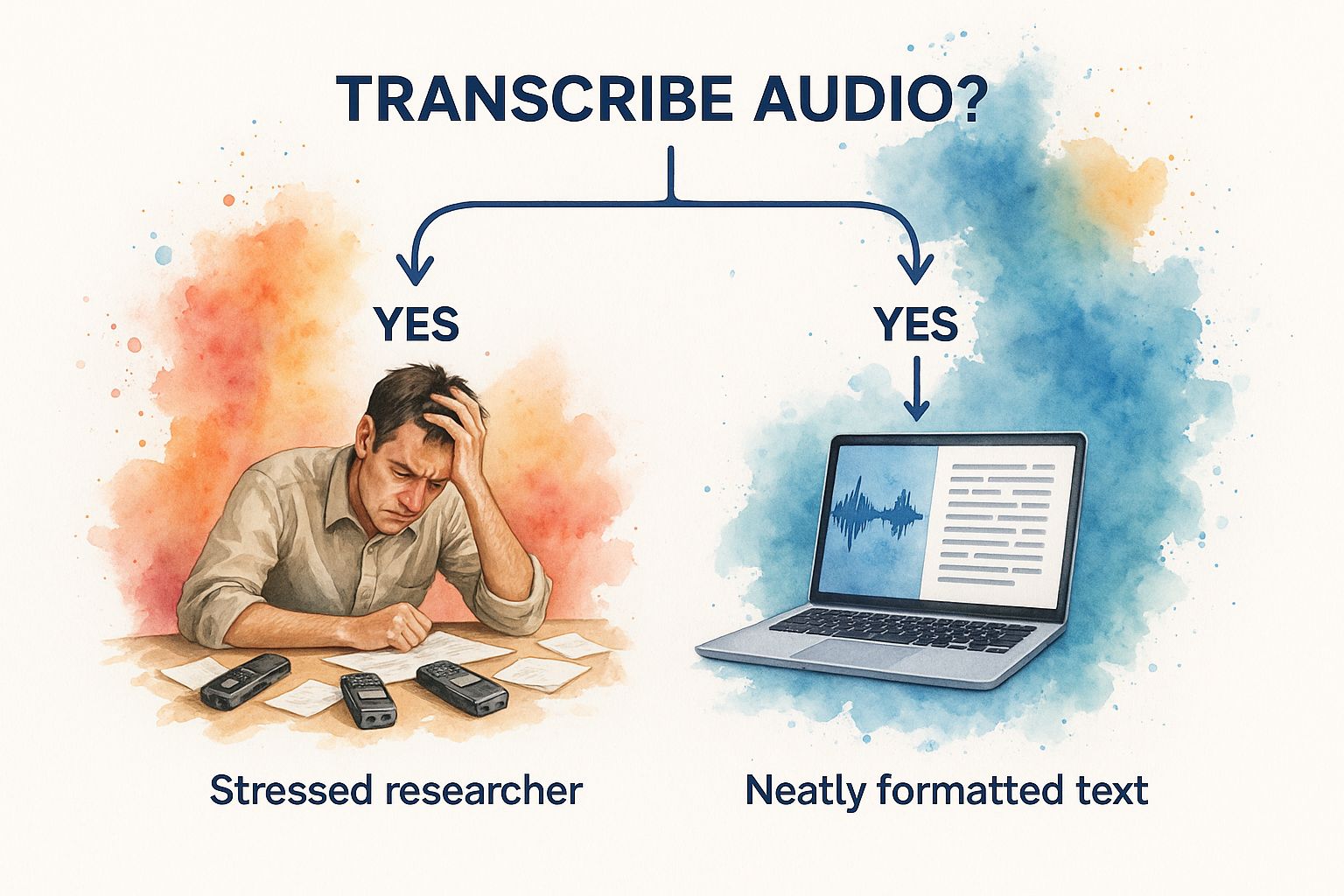
As you can see, it’s about more than just speed; it’s about turning chaotic audio into structured, usable information without all the hassle.
The Shift to Automated Solutions
It’s no surprise that more people are moving away from manual methods. The demand for better, faster solutions is booming. In fact, the U.S. transcription market was valued at a massive $30.42 billion in 2024, largely because people need software that can process audio quickly and accurately without a human typist. You can explore the full research on this growing market to see just how fast things are changing.
AI-powered tools like Typist solve these problems head-on, delivering incredibly fast turnaround times with impressive accuracy.
To put it into perspective, here’s a quick look at how the two approaches stack up.
Manual vs Automated Interview Transcription
This table breaks down the core differences in time, cost, and quality when comparing the old-school manual route with modern automated software.
| Metric | Manual Transcription | Automated Software (like Typist) |
|---|---|---|
| Time Investment | 4-6 hours per audio hour | 5-10 minutes per audio hour |
| Typical Cost | $1.50 - $3.00 per audio minute | Free or low-cost subscription |
| Accuracy | 80-95%, fatigue-dependent | Up to 99% with clear audio |
| Speaker ID | Difficult and time-consuming | Automated and precise |
The numbers speak for themselves. Automated tools are not just a minor improvement; they fundamentally change the economics and effort involved.
Ultimately, choosing the right transcription software for interviews is about more than just saving time. It's about making sure the information you’re working with is reliable, easy to access, and ready for you to put to use.
Never miss a word from lectures or interviews
Record once, transcribe instantly. Search, export, and reference later
Key Features to Look For in Transcription Software for Interviews
Trying to pick the right transcription software for your interviews can feel like a chore. With so many options out there, how do you know which one is actually good? The key is to cut through the marketing noise and focus on what really matters for interview transcripts.
It boils down to four critical elements: accuracy, speaker identification, speed, and security. Get these right, and you’ll have a tool that genuinely makes your work easier. Let's dig into what to look for in each one.
Transcription Accuracy and Language Support
First and foremost, you need an accurate transcript. If it’s riddled with errors, it's not just useless—it's a liability. You could end up misquoting someone or basing your entire analysis on flawed data. A lot of services boast accuracy rates up to 99%, but that's usually for perfect, studio-quality audio. Real-world interviews are rarely that clean.
Think about it: you're interviewing someone with a thick accent, or the conversation is loaded with industry-specific jargon. A run-of-the-mill tool will trip over these things, spitting out nonsense words. This is where premium software, like Typist, pulls ahead. It's built on more diverse data, so it can actually understand those nuances and keep the transcript true to the original conversation.
Key Takeaway: Real accuracy isn't just about getting the easy words right. It’s about handling accents, technical terms, and less-than-ideal audio without crumbling.
Speaker Identification and Diarization
If your interview has more than one person, knowing who said what is non-negotiable. This is where a feature called speaker identification (or diarization) becomes your best friend. It automatically tags each part of the conversation with the correct speaker.
Without it, you just get a giant, unreadable block of text. Imagine trying to make sense of a focus group transcript where five different people are all blended together. It’s a nightmare. A tool that properly labels each speaker makes your analysis infinitely easier.
Turnaround Speed and Efficiency
Artificial intelligence has completely changed the transcription game. The global AI transcription market is huge—valued at $4.5 billion in 2024—for a good reason. Tasks that used to take a human transcriber hours are now finished in minutes. You can see how much AI has impacted transcription to get a sense of the industry's pace.
Speed isn't just a nice-to-have; it's a workflow essential. If you’re a journalist on a deadline or a researcher eager to start coding your data, you can’t sit around waiting for days. Modern tools can process an hour of audio in just a few minutes. If you're interested in the tech that makes this possible, we wrote a deep dive on building the fastest AI audio transcription engine.
Data Security and Confidentiality
Last but certainly not least: security. Your interviews can contain incredibly sensitive information—from proprietary business strategies to personal stories shared in confidence. The platform you use absolutely must protect that data.
Don't just assume your files are safe. Look for services that explicitly mention end-to-end encryption and have a transparent privacy policy. You need to know exactly how your data is being handled, stored, and protected from anyone who shouldn't see it.
Start transcribing with Typist →
A Closer Look at Typist for Interviews
Now that we’ve covered what to look for in a transcription tool, let's put a specific service under the microscope. Typist was built from the ground up to tackle the headaches that come with transcribing interviews. It’s not just another audio-to-text converter; it’s designed to produce a clean, usable transcript right out of the gate.
This tool is for professionals who don’t have time to sift through messy, inaccurate text. If you're a journalist hitting a deadline, a UX researcher digging into user feedback, or an academic coding qualitative data, Typist is made to deliver the structured output you need to get to work.
Core Features Built for Interview Workflows
What really makes Typist stand out is its laser focus on the unique challenges of interview transcription. You won't find a cluttered dashboard full of features you’ll never touch. Instead, the platform doubles down on what actually matters when turning a conversation into useful data.
Here are the key features that make a real difference for interview-based work:
- High-Accuracy AI Engine: Typist is powered by AI models trained on a massive range of audio. In practice, this means it can handle different accents, background chatter, and even industry-specific jargon with surprising accuracy, which saves a ton of time on manual edits.
- Robust Speaker Identification: The software automatically figures out who is talking and when, labeling each speaker throughout the dialogue. This is absolutely critical for making sense of focus groups or multi-person interviews, turning a jumbled wall of text into a clear, easy-to-follow conversation.
- Rapid Processing Speed: Let’s be honest, nobody likes waiting around. Typist processes audio incredibly fast—an hour-long interview is often transcribed in just a few minutes. This lets you jump straight from recording to analysis without the usual delay.
For researchers and journalists, the ability to quickly and accurately separate speaker dialogue is a non-negotiable feature. It’s the difference between a usable transcript and a useless block of text.
Ready to see how fast and accurate your interview transcripts can be?
No complex setup, no learning curve. Drag, drop, transcribe Try it free
Solving Common Transcription Frustrations
Beyond the core technology, Typist was clearly designed with the user in mind. The interface is clean and simple, making it easy to upload a file, review the transcript with the audio synced up, and export your work. There's virtually no learning curve.
One of the biggest everyday hassles is dealing with different file types. Typist handles a wide variety of common audio and video formats (MP3, WAV, MP4, MOV), so you can skip the annoying step of converting your files first. The platform just takes care of it.
The export options are another major plus. You can download your finished transcript in several formats, each suited for a different task:
- DOCX: For dropping directly into reports, articles, or academic papers.
- TXT: A basic, universal format for easy sharing or importing into other tools.
- SRT: Perfect for video creators who need to generate accurate subtitles for their interviews.
This kind of flexibility means the transcript you get from Typist fits right into your existing workflow, whether that’s in a word processor, a video editor, or qualitative analysis software. By bridging the gap from spoken word to written text so smoothly, Typist helps you get the most value out of every single interview. You can explore all the features and see how it works for you by visiting https://iamtypist.dev/.
How Professionals Use Transcription Software
Upload MP4 or MOV, export SRT subtitles. Works with Premiere, Final Cut, DaVinci Try it free
It's one thing to read about features on a list, but it’s another to see how transcription software actually gets used in the real world. For professionals in countless fields, these tools are more than just a convenience; they're essential for turning spoken words into organized, usable data. This is where a tool like Typist becomes a core part of the daily workflow.
Think about a journalist working against a tight deadline. They can record a long interview, upload it, and get a searchable transcript back in just a few minutes. Instead of wasting time scrubbing through audio, they can instantly find the most impactful quotes and double-check facts. That speed makes all the difference in getting a story out accurately and on time.
Academic researchers lean on transcription software for interviews just as heavily, especially when they're neck-deep in qualitative studies. When you're managing dozens of interviews, you need accurate transcripts with perfect speaker labels to perform thematic analysis—the process of coding text to find meaningful patterns. Exporting to DOCX or TXT files lets them plug right into their analysis software, keeping the whole research project moving smoothly.
Use Cases in Design and Business
In the product world, user interviews are pure gold. A UX researcher might talk to several people a day to get to the bottom of user frustrations. By transcribing every session with a tool like Typist, they build a searchable database of user feedback, making it simple to pull out specific quotes for a report or a team presentation.
The same logic applies to business and law. While general transcription is useful, you can see how vital these tools are in specialized fields. Documenting doctor-patient conversations, legal depositions, client meetings, and corporate focus groups with precision is non-negotiable.
Key Insight: Professionals don't just use transcription software to save time. They use it to create a reliable, searchable, and analyzable record of conversations that forms the foundation of their work.
Adapting to Modern Interview Formats
The way we conduct interviews is also evolving. Professionals now use transcription tools to analyze recorded answers from formats like asynchronous video interviews. Getting a text version of a candidate's pre-recorded answers makes the review process more objective and helps recruiters compare applicants side-by-side.
For any professional whose work relies on capturing conversations accurately, the right software isn't just a nice-to-have—it's a necessity. If your team has specific needs or you're looking for an enterprise-level solution, feel free to contact the Typist team to talk through the options.
Tips for Getting Accurate Transcripts
Transcribe a 1-hour recording in under 30 seconds
Upload any audio or video file and get a full transcript with timestamps
Here's the truth: the final accuracy of your transcript depends almost entirely on the quality of your audio. While today's transcription software for interviews is incredibly powerful, it's not magic. The old saying "garbage in, garbage out" has never been more relevant.
A few simple habits can slash the number of errors you have to fix later. Your goal is to give the AI the cleanest, clearest audio possible right from the start.
Nail Your Audio Quality
Before you hit the record button, take a few minutes to get your setup right. This is the single biggest thing you can do to get a transcript that's 99% accurate instead of 85%.
Here’s what I always recommend:
- Use an External Mic: The microphone built into your laptop or phone will get the job done, but it also picks up every tap, hum, and echo in the room. A decent external mic makes a world of difference.
- Find a Quiet Spot: Background noise is the enemy of accurate transcription. Shut the windows, turn off the AC, and silence your phone notifications. Every little bit helps.
- One Speaker at a Time: This can be tough in a lively conversation, but try to avoid having people talk over each other. It confuses the software and muddies the audio, making speaker labels a mess to sort out.
Key Insight: I've seen transcripts derailed by something as simple as a humming mini-fridge in the corner. Spending just five minutes prepping your recording space can easily save you an hour of tedious editing.
Ready to see what clean audio can do?
Try Typist free - Get 60 free minutes
Don't Skip the Final Proofread
Even with perfect audio, you'll still want to give the transcript a once-over. No automated service is flawless, especially when it comes to industry-specific jargon or unique names.
Thankfully, this is no longer a painful process. Modern tools sync the text directly with the audio, so you can listen and read along at the same time. This makes it incredibly fast to spot and fix any small mistakes.
This quick review is what transforms a solid AI-generated draft into a polished, professional document you can actually use. For more tips on getting the most out of your transcription workflow, check out the Typist blog.
Common Questions About Interview Transcription
Even after seeing all the benefits, you probably still have a few questions about using transcription software for your interviews. That's smart. When you're dealing with important conversations, you want to be sure you're making the right call. Let's clear up some of the most common concerns.
We’ll dig into the big questions around accuracy, security, and how these new tools actually handle the messiness of real-world conversations. The idea is to iron out any last-minute doubts so you can feel confident picking the right tool.
How Accurate Is AI Transcription with Multiple Speakers?
This is the big one, and for good reason. Not too long ago, AI would turn a group conversation into an unreadable block of text. Thankfully, modern transcription software has gotten much, much better at speaker diarization—the fancy term for figuring out who is talking and when.
Tools like Typist now use sophisticated algorithms that can pinpoint unique vocal signatures. This allows them to accurately label who said what, even when people occasionally talk over each other. While a chaotic, fast-talking group discussion can still trip up any system, the tech is now solid for most professional settings, like one-on-one interviews or small focus groups. The secret is to start with clear audio where speakers aren't constantly interrupting.
The Bottom Line: Today’s AI is surprisingly good at identifying different speakers. To get the best results, just aim for a clean recording where everyone's voice is easy to distinguish. That one small step helps the software create a perfectly labeled transcript that’s ready to use.
Can the Software Handle Different Accents and Jargon?
Yes, and this is where high-quality AI transcription software really shines. A human transcriber might stumble over niche industry terms or an unfamiliar accent, but AI models are trained on massive, incredibly diverse datasets. They’ve been exposed to a huge spectrum of speech patterns, dialects, and specialized vocabularies from practically every field imaginable.
What this means is that a tool like Typist is often more prepared to handle a medical interview packed with clinical terminology or a chat with a non-native English speaker. The AI isn't just taking a guess; it's recognizing patterns it has learned from processing millions of hours of audio. The result is a much more accurate transcript right out of the gate.
How Secure Is My Interview Data?
Data security is a deal-breaker, especially when your interviews contain sensitive or private information. Any reputable platform will make protecting your files a top priority. You should always look for a service that provides end-to-end encryption, which scrambles your data during upload and keeps it secure on their servers.
Typist, for instance, was built with privacy in mind from day one. All data is handled with strict protocols to make sure your interview content stays completely private and protected. It's always a good habit to check a service's data policies. You can find out more by reading the Typist privacy policy to see the exact measures in place. That kind of transparency is a sign of a service you can trust.
At the end of the day, picking the best transcription software for interviews comes down to finding a tool that’s not just fast and accurate, but also gives you total confidence that your valuable data is safe.
Ready to turn your interviews into accurate, usable text? With Typist, you can get started in seconds and see the results for yourself.
Need subtitles? Show notes? Meeting minutes? Try it free