Your Guide to Podcast Transcription Software
Discover how podcast transcription software boosts your show's SEO and accessibility. Learn about key features and find the right tool for your podcast.
So, what exactly is podcast transcription software?
Think of it as a digital scribe for your podcast. It’s a tool that listens to your audio or video episodes and automatically turns all the spoken words into a written document. Every interview, every story, every joke—all captured in text.
What Is Podcast Transcription Software Anyway?
At its core, this software is all about bridging the gap between sound and text. It takes your audio content, which is normally locked away in an MP3 file, and converts it into a format that’s easy to read, search, and share.
For a long time, getting a transcript meant hiring someone to manually type out every single word, a process that could take hours upon hours. But AI-powered tools like Typist have flipped the script. Now, you can just upload your audio file and get back a surprisingly accurate transcript in a matter of minutes. This isn't just about saving a headache; it's about unlocking a goldmine of potential that’s been sitting inside your episodes all along.
By turning your audio into text, you're not just creating a document. You're making your podcast far more discoverable and accessible to a much wider audience. It's really less of a "nice-to-have" and more of a must-have for any podcaster who's serious about growing their show.
Why It's a Podcasting Game-Changer
This whole shift toward transcription makes a lot of sense when you look at how much podcasting has blown up. With so many shows out there, everyone is looking for an edge to stand out. The global podcasting market is expected to hit nearly $40 billion by 2025, and it's all being fueled by over 546 million monthly listeners around the world. In such a crowded arena, transcripts give you a real, tangible advantage. You can dig into more of these podcasting market trends on coherentmarketinsights.com.
All this growth has created a huge demand for tools that can help podcasters connect with that massive, ever-expanding audience.
A transcript turns your podcast from a closed audio file into an open book. Suddenly, every word you've spoken becomes a gateway for new listeners to find you through search engines, a tool for accessibility, and a foundation for all your other content marketing efforts.
The benefits pop up almost immediately:
- Boosted SEO: Google can't listen to your audio, but it loves to read text. Transcripts let search engines crawl and index everything you said, helping you show up for all sorts of specific search terms.
- Enhanced Accessibility: You instantly welcome in listeners who are deaf or hard-of-hearing. It also helps non-native speakers who find it easier to read along while they listen.
- Effortless Content Repurposing: A transcript is the ultimate creative springboard. You can pull quotes for social media, turn an episode into a blog post, or build detailed show notes without having to re-listen to the whole thing.
Ready to see how easy it is to unlock your podcast's full potential?
Still typing out transcripts by hand?
Upload MP3, WAV, MP4 or any media file — get accurate text back instantly
How AI Transcription Actually Works
Ever wonder how modern podcast transcription software listens to an hour-long chat and spits out a written script almost instantly? It's not magic, but it’s close. It all comes down to two powerful AI technologies working in tandem.
Think of it like a digital version of a human transcriber. The process kicks off with a technology called Automatic Speech Recognition (ASR). This is the "digital ear." It meticulously listens to your audio file, breaking down the complex sound waves into the tiniest units of sound—what linguists call phonemes.
Once the ASR has identified all those little sounds, the "digital brain" takes over. This part is called Natural Language Processing (NLP). NLP’s job is to make sense of everything. It applies grammar rules, understands context, and figures out which words are most likely to follow others, turning a jumble of sounds into coherent sentences.
This two-step dance is what allows AI to move beyond simply hearing sounds to actually understanding and transcribing human speech with incredible accuracy.
This infographic breaks down how that transcribed audio can then be transformed into valuable assets for SEO, accessibility, and creating even more content.
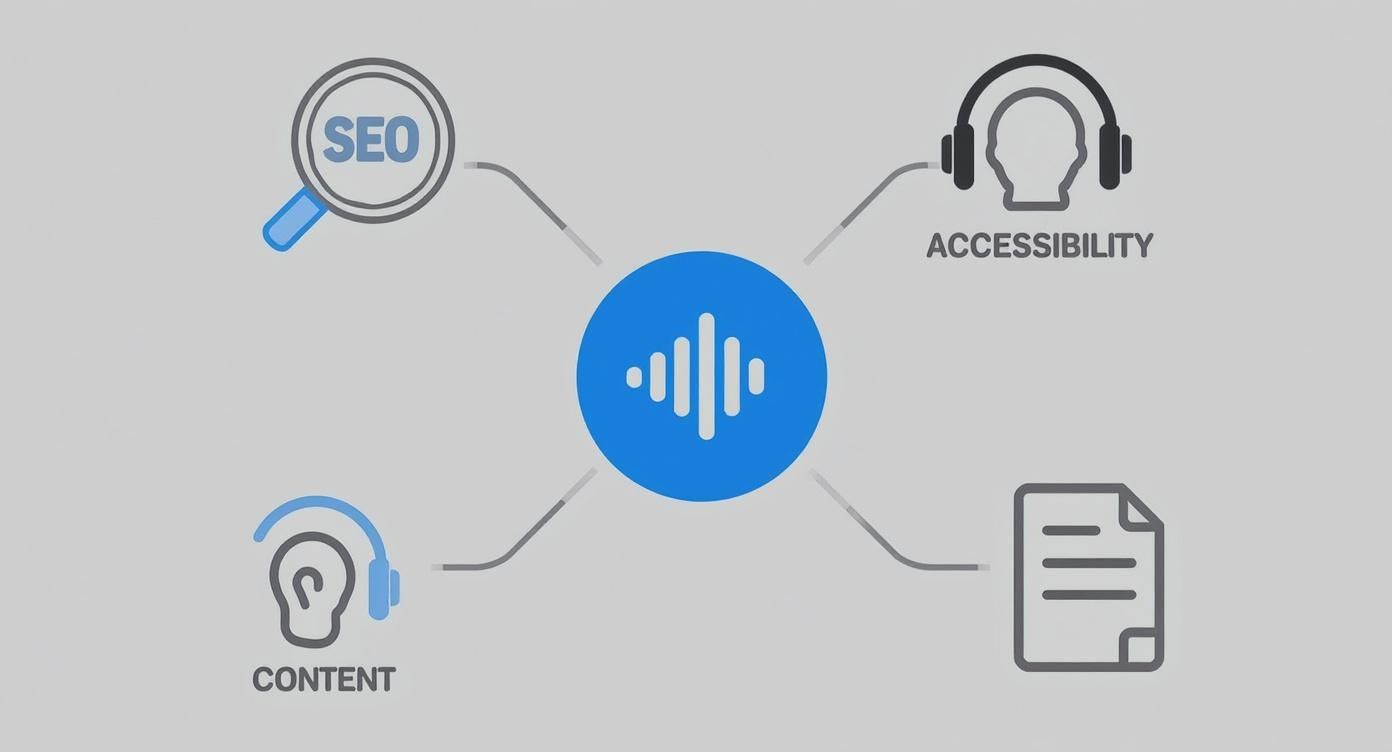
As you can see, getting a transcript is the first step to unlocking some serious growth channels for your show.
Key AI Functions in Action
But today's tools do more than just turn speech into text. They have some seriously smart features that make a podcaster's life a whole lot easier.
- Speaker Diarization: This is how the software figures out who is talking. It analyzes the unique characteristics of each person's voice to automatically label Speaker 1, Speaker 2, and so on. This is a game-changer for interview-style shows.
- Timestamping: The AI also adds precise timestamps, linking every single word or phrase back to its exact moment in the audio. This makes finding that perfect quote or editing a specific section ridiculously fast.
Thanks to these kinds of advancements, AI-powered tools can now hit accuracy rates of up to 99%. That leap in quality is why so many creators now rely on them to quickly and reliably convert their audio into text. If you want to dive deeper into the business side of this tech, this AI video transcription business guide is a great read.
The technology is getting faster all the time, too. We actually wrote a whole article on the engineering behind building the fastest AI audio transcription if you're curious about what happens under the hood.
Essential Features Every Podcaster Needs
Export your transcript to SRT, PDF, DOCX, or TXT — all from one upload Try it free
Not all podcast transcription software is built the same. While pretty much any tool can turn your audio into text, the specific features they offer can make or break your entire workflow. Choosing the right one means looking past the basic sales pitch and focusing on what will genuinely save you time and help you create better content.
Think of it like buying a new car. Any car can get you from point A to B, but some come with features like a great sound system, smooth cruise control, or helpful GPS that make the whole journey better. The same goes for transcription tools—the right set of features turns a tedious chore into a seamless part of your podcast production.
Core Transcription Capabilities
Before diving into advanced options, ensure your chosen software nails the fundamentals. These are the non-negotiables that form the foundation of a great transcription experience.
- High Accuracy Rate: This is the most critical feature. A highly accurate transcript means less time spent correcting errors. Look for tools that can handle different accents, technical jargon, and less-than-perfect audio quality.
- Fast Turnaround Time: In content creation, speed matters. Modern tools like Typist can transcribe an hour-long episode in just a few minutes, allowing you to move from recording to content repurposing on the same day.
- Speaker Identification (Diarization): For interview-style or co-hosted shows, this is essential. The software should automatically detect and label who is speaking, saving you the headache of manually assigning names to blocks of text.
Workflow and Usability Features
A powerful tool is only useful if it’s easy to use. The best podcast transcription software includes features that fit naturally into your production workflow, making the entire process feel effortless.
A great transcription tool doesn't just give you a wall of text. It gives you an interactive, editable document that becomes a central hub for creating show notes, social clips, blog posts, and more.
Key usability features include:
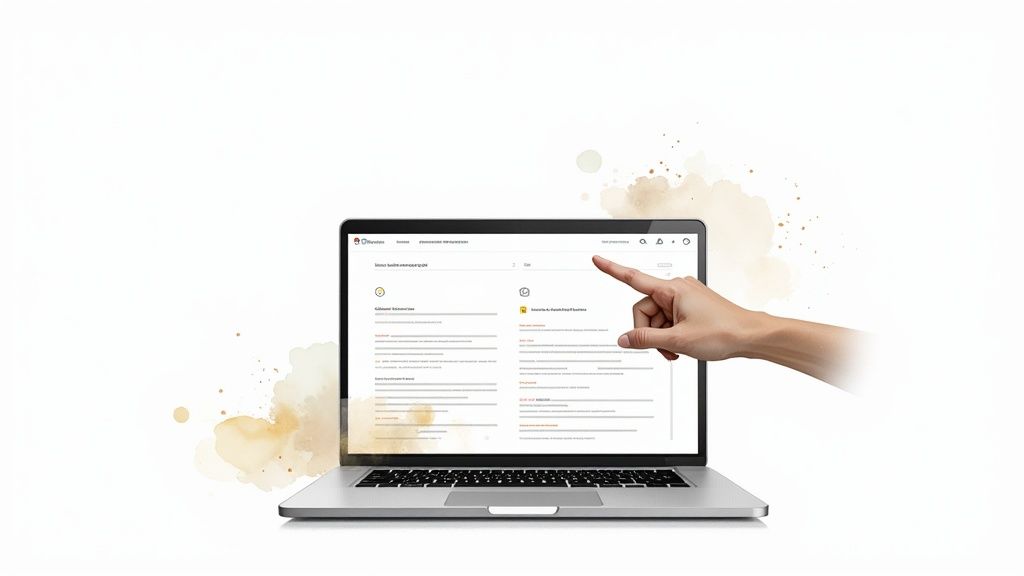
- An Interactive Editor: The ability to play audio and see the corresponding text highlighted is a game-changer for making quick corrections. You should be able to click on any word and have the audio jump to that exact spot.
- Custom Vocabulary: If your podcast covers a niche topic with specific terminology, brand names, or unique spellings, a custom dictionary ensures the AI gets these words right every time.
- Flexible Export Options: Your needs will vary. Sometimes you'll want a simple TXT file for a blog post, while other times you’ll need an SRT file for video captions on YouTube or social media. A good tool offers multiple formats like TXT, SRT, DOCX, and PDF.
Try Typist free - Get 60 free minutes
Advanced Content Repurposing Tools
The true power of transcription lies in what you do after the audio is converted to text. Top-tier software understands this and builds in features designed to help you create more content, faster. For an overview of how a modern platform works, you can explore the features available on Typist's platform.
Consider looking for summary generation, where the AI can create a concise overview of the episode, or keyword extraction, which identifies the main topics discussed. These features provide a fantastic starting point for writing show notes, crafting social media posts, and identifying key themes for future episodes. They turn your transcript from a simple record into a strategic asset.
See how fast and accurate Typist is — upload your first file in seconds Get started
Unlock Your Podcast SEO Potential
Here’s a hard truth: search engines like Google are fantastic at reading text, but they can't listen to your podcast. Not yet, anyway. This means every amazing interview, every brilliant insight you share, is basically invisible to them. This is precisely where podcast transcription software steps in to become your secret SEO weapon.
When you turn your audio into text, you suddenly make every single word of your show searchable. Think about it. All those conversational phrases and niche topics you dive into? They become a goldmine of long-tail keywords—those specific, multi-word phrases that actual people type into search bars.
Let's say you interview an expert on sustainable gardening. Without a transcript, your episode is just a blob of audio. With one, it’s not just about "gardening." It’s now targeting dozens of specific searches like "how to compost coffee grounds," "best organic pest control for tomatoes," or "benefits of raised garden beds." Just like that, one episode can start ranking for countless terms, pulling in a steady stream of people who are genuinely interested in what you have to say.
Turning Transcripts Into Traffic Magnets
A raw transcript is a great starting point, but the real magic happens when you start repurposing it. You can spin that single piece of text into all sorts of content that both search engines and people love. It’s a smart way to multiply your content, build authority, and open up new doors for listeners to find you.
- SEO-Rich Show Notes: Ditch the basic summary. Pull key sections from your transcript to create detailed, keyword-packed show notes that give your audience real value and are a feast for Google’s crawlers.
- Full-Fledged Blog Posts: With a bit of editing and formatting, an entire episode transcript can be transformed into a comprehensive article. This not only grabs search traffic but also gives people another way to engage with your content. We cover more strategies like this over on the Typist blog.
- Shareable Quotes and Snippets: Easily pull the best one-liners and most powerful quotes from the text. Turn them into eye-catching graphics for social media to boost engagement and drive people back to your site.
By transcribing your audio, you are essentially creating a detailed, keyword-optimized blueprint of your episode that search engines can read, understand, and rank. It's the single most effective way to ensure your valuable content doesn't remain hidden.
Ready to make your podcast discoverable?
Start transcribing with Typist →
This isn't just about chasing clicks. It’s about connecting with the very people who are actively searching for the knowledge and stories you're sharing. When you make your spoken words readable, you open your show up to a massive new audience that was completely out of reach before.
Reach a Wider Audience with Accessible Content
Getting a nice SEO boost is great, but the real magic of podcast transcription software is how it connects you with people. Transcripts aren't just for search engines; they're for building a more inclusive, engaged, and loyal community around your show by knocking down the barriers that keep people from your content.
Think about it for a second. An audio-only podcast, by its very nature, shuts out a huge potential audience. By simply offering a written version of your show, you’re throwing the doors wide open to the deaf and hard-of-hearing community. It’s a small step that transforms your podcast from something they can't access into a welcoming space for everyone.

Making Content Universally Accessible
And it's not just one group that benefits. Transcripts are also a lifeline for non-native speakers who might find it easier to follow along by reading. They can pause, look up words, and really digest complex ideas at their own speed, making sure they don't miss a single thing.
Plus, let's be honest, some people just prefer to read. In our crazy-busy world, not everyone has 45 minutes to listen to an episode. But they might have five minutes to skim a transcript and pull out exactly what they need. By offering both formats, you’re meeting people where they are and catering to all kinds of learning styles.
Transcripts don't just make your content available; they make it usable for everyone, regardless of ability, language background, or personal preference. This is how you build a truly dedicated audience.
Tools like Typist take what used to be a tedious chore and make it a simple, quick step in your publishing workflow.
Never miss a word from lectures or interviews Try it free
Turning Listeners Into Active Promoters
Beyond just making your content accessible, transcripts are a secret weapon for engagement. Ever hear a great quote or a mind-blowing statistic in a podcast and wish you could easily share it? A transcript makes that possible. Your listeners can instantly find, copy, and paste that perfect soundbite.
This simple act turns your listeners from a passive audience into your biggest advocates. Suddenly, they can:
- Quote you on social media, tagging your show and spreading your message to their own followers.
- Share key takeaways in their newsletters or blog posts, linking back to your podcast as the source.
- Reference specific points in online forums, driving new and highly-interested listeners right to your doorstep.
This kind of user-generated promotion is pure gold—it's authentic and incredibly effective. When your listeners can easily share your best stuff, they become a natural extension of your marketing team.
How to Choose the Right Transcription Software
Upload a file. Get text back. That simple.
No complex setup, no learning curve. Drag, drop, transcribe
Feeling ready to jump in but not sure which tool is the right fit? Don't worry, picking the best podcast transcription software isn't as daunting as it sounds. It really comes down to asking a few simple questions to find a solution that clicks with your specific needs and workflow.
Think of it like buying a new microphone. The one a solo host needs is completely different from what a panel show with four guests requires. The same logic applies here—the perfect software for you depends entirely on what you want to achieve.
Key Questions to Guide Your Decision
Before you sign up for any service, take a minute to think about your podcasting process. Getting clear on what you truly need will make the choice a whole lot easier.
Here are a few things to consider:
- What's your budget? Are you just getting started and need something that won't break the bank? Or are you an established creator ready to invest in premium tools? Many services, including Typist, have generous free plans that are perfect for testing the waters.
- How much audio are you transcribing? Think about your monthly output. If you produce a few episodes a month, a free plan with daily limits might be all you need. If you're churning out content daily, an unlimited plan probably makes more sense.
- How accurate does it need to be? Let's be real: how much time do you really want to spend editing? If you’re turning your transcripts into blog posts or detailed show notes, high accuracy is a must to cut down on cleanup time. Look for a tool known for getting it right the first time.
- Is your data secure? It’s always smart to know how a service handles your audio files. Take a quick look at their policies to make sure your content is in good hands. For example, you can see exactly how your data is managed by reviewing Typist's privacy policy.
Why Typist Is a Strong Choice for Podcasters
When you start weighing these factors, a tool like Typist really begins to shine. It was built to hit that perfect sweet spot for creators, offering a generous free plan that includes 60 free minutes—ideal for podcasters who publish on a consistent schedule.
The best software is the kind you don't even have to think about. It should just work, slotting right into your routine and giving you fast, accurate text so you can get back to creating great content.
Typist delivers on that promise. It blends high accuracy with a simple, clean interface, taking you from audio upload to a polished transcript in minutes. It removes the friction and gives you the confidence to take the next step with your content.
Start transcribing with Typist →
Got Questions? We've Got Answers
Let's tackle some of the most common questions podcasters ask about transcription software. Here are the straightforward answers you need.
How Accurate Is This Stuff, Really?
You'd be surprised. Today's AI transcription tools can hit up to 99% accuracy when you give them a clean audio file with little to no background noise.
Of course, it's not always going to be perfect. Things like heavy accents, super technical terms, or people talking over each other can trip it up a bit. But for most podcasters, the transcript is more than good enough to create show notes, blog posts, and captions with just a quick proofread.
Is This Going to Break the Bank?
Not at all. In fact, you can often get started for free. Many services, Typist included, have generous free tiers that are perfect if you're just starting out or only publish a few episodes a month.
When you're ready to scale up, the paid plans are incredibly affordable. You'll spend a fraction of what you'd pay for a human transcriptionist, and the time you save makes it a fantastic investment.
How Long Will I Be Waiting for a Transcript?
This is where AI really shines: speed. Most modern tools, including Typist, can turn around an hour of audio in just a few minutes.
This means you can go from recording to having a full transcript ready for content creation almost immediately. No more waiting days to get your show notes or social media clips out.
Can It Tell Who's Talking?
Absolutely. This feature is a game-changer for interviews and multi-host shows. It's often called speaker diarization or speaker identification.
The software automatically listens for different voices and labels each speaker throughout the conversation, making your transcript way easier to read and edit. If you have specific questions about how this works, feel free to get in touch with our team.