What Is Audio Transcription and How Does It Work
What is audio transcription? Learn how turning speech into text works, why it matters, and how AI tools like Typist can streamline your projects.
At its core, audio transcription is simply the process of turning spoken words from an audio or video file into written text. Think of it as a bridge between sound and script, making conversations searchable, shareable, and much easier to work with.
How Does Audio Transcription Actually Work?
There are really only two ways to get an audio file transcribed: you can have a person do it, or you can have a machine do it. Both methods get you from spoken words to written text, but they get there very differently.
- A human transcriber listens carefully and types everything out, bringing a deep understanding of context, accents, and nuance.
- An AI-powered tool uses sophisticated speech-to-text algorithms to do the same thing, but almost instantly.
Ultimately, deciding which route to take comes down to a classic trade-off: do you need perfect accuracy, or do you need it done right now?
Imagine you’re watching a recording of a team meeting, and as people speak, their words appear on the screen like live subtitles. That’s a great way to visualize what transcription software does—it captures speech patterns and instantly maps them to written words.
Audio transcription gives your spoken content a second life in text, unlocking the ability to search, analyze, and edit ideas that were once locked in a recording.
Manual vs Automated Transcription
To really get a feel for the differences, it helps to see the two approaches side-by-side. Here’s a quick comparison of what you can expect from each.
| Feature | Manual Transcription (Human) | Automated Transcription (AI) |
|---|---|---|
| Speed | 1 hour of audio takes 3–4 hours | Processes up to 200× faster than real time |
| Cost | $1–$2 per audio minute | Free to low cost per hour with paid plans |
| Accuracy | Up to 99% with clear audio | 90–95% in ideal conditions |
While both get the job done, AI is clearly what’s driving the massive growth in this space. For context, the U.S. general transcription services market is projected to hit over $32 billion in 2025 and is on track to cross $50 billion by 2035, largely thanks to demand in fields like healthcare and law.
Knowing these key differences is the first step to choosing the right tool for the job. Manual services are fantastic when you’re dealing with tricky audio—think heavy accents, lots of technical jargon, or several people talking over each other. But that human touch comes at a cost, both in time and money.
This is where automated tools like Typist have really found their sweet spot. They use AI to give you fast, affordable transcripts that are surprisingly accurate, striking a great balance for most everyday needs.
Choosing The Right Method For You
So, how do you decide? It really comes down to what your project demands.
If you’re transcribing a legal deposition or a medical interview where every single word has to be perfect, a human transcriber is probably your best bet. But if you just need to quickly get the gist of a lecture, turn a podcast into a blog post, or process dozens of customer calls, an AI solution like Typist is a game-changer.
Here are a few final thoughts to keep in mind:
- Manual transcription is your go-to for critical, high-stakes content.
- Automated transcription is perfect for everyday tasks and processing audio in bulk.
- A hybrid approach often works best—let an AI do the heavy lifting, then have a human clean it up for near-perfect accuracy.
Transcription that works in 99+ languages
Accurate results regardless of accent or language — just upload and go
How Does Audio Transcription Actually Work?
So, how do spoken words actually make it onto the page? To really get what audio transcription is, we need to look behind the curtain. The journey from a sound wave to a written document can take two completely different routes—one relying on a human touch, the other on smart technology.
The old-school way is manual transcription. This is where a trained professional sits down with headphones, listens to a recording, and types everything out word-for-word. They often use special gear, like foot pedals, to control playback, letting them pause and rewind without taking their hands off the keyboard. It's a job that requires incredible focus and an ear for detail, especially when dealing with tricky accents or background noise. While this method is known for its accuracy, it's also slow and can get pretty expensive.
The Modern, AI-Powered Approach
These days, automated transcription has completely changed the landscape. Instead of a person, this process uses sophisticated AI—specifically, a technology called Automatic Speech Recognition (ASR). Think of ASR as a digital ear that’s been trained on countless hours of human speech. It has learned to identify the tiny building blocks of language, called phonemes.
When you give a tool like Typist an audio file, its ASR system kicks into gear:
- Sound Analysis: The AI dissects your audio into thousands of individual sound snippets.
- Pattern Matching: It then scours its vast internal library, matching those snippets to the phonemes it recognizes.
- Word Formation: Finally, it strings those sounds together to form words, sentences, and paragraphs, creating an initial draft of your transcript.
This infographic gives you a quick visual of how an AI turns a voice recording into a finished document.
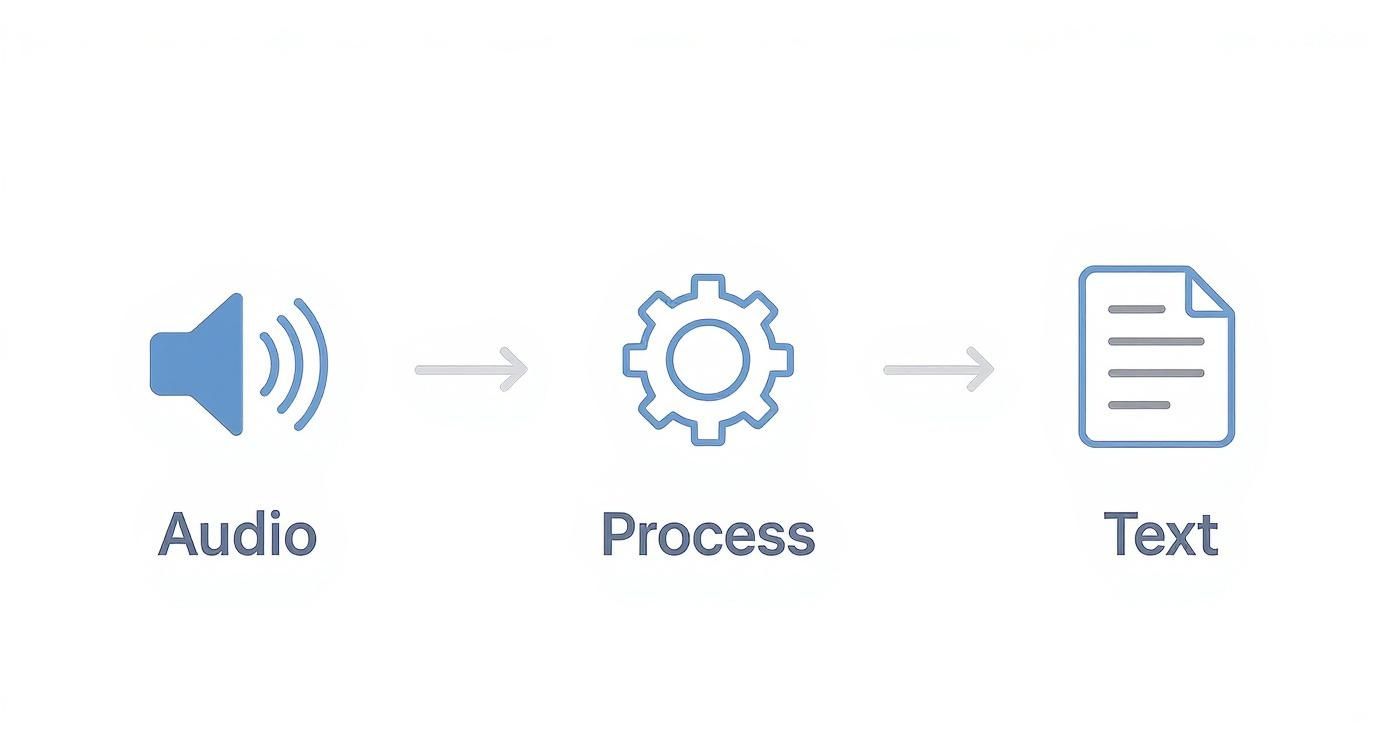
As you can see, it’s a three-step flow: capture the sound, let the AI process it, and generate the text. But the real cleverness comes next.
Adding Context with Natural Language Processing
Once the ASR spits out a raw text file, another layer of AI called Natural Language Processing (NLP) gets to work. If ASR is the ear, NLP is the brain. It acts like a smart editor, applying its knowledge of grammar, context, and sentence structure to polish the transcript.
NLP is what adds proper punctuation, creates paragraphs, and fixes common mix-ups (like telling the difference between "to," "too," and "two"). It’s this powerful duo of ASR and NLP that allows a tool like Typist to produce impressively accurate and easy-to-read transcripts in just minutes. When you understand the basics of workflow automation, you can see how this entire process is built for maximum speed and efficiency.
Think of AI transcription as a two-person team. First, the ASR specialist quickly assembles the raw parts (turning sounds into words). Then, the NLP expert comes in for quality control, polishing the final text until it’s perfect.
This high-tech, automated system turns a task that once took hours of intense human labor into something you can get done in the time it takes to grab a coffee. It’s what makes transcription a practical tool for just about anyone.
Try Typist free - Get 60 free minutes
The Rise of AI in Modern Transcription
Artificial intelligence has dragged audio transcription out of the slow lane and into the fast track. Not too long ago, getting a transcript was a manual, time-consuming affair. You’d hire a professional, wait days for the result, and pay a hefty price for it. Now, AI can do the job in minutes, making transcription fast, affordable, and accessible to everyone.
This isn't just a minor upgrade; it’s a total reimagining of how we work with spoken words. And the world is taking notice. The global market for AI transcription is projected to explode from $4.5 billion in 2024 to over $19.2 billion by 2034. That kind of growth shows just how much demand there is for this kind of automation.
Speed and Scalability
The first thing you’ll notice about AI transcription is its sheer speed. A professional human transcriber might need about four hours to get through one hour of audio. An AI tool like Typist? It can handle that same audio in just a few minutes, processing it up to 200 times faster than real time.
This speed opens up a whole new world of scale. Think about transcribing a dozen two-hour interviews or a full semester of college lectures by hand. The time and money involved would be staggering. With AI, you can throw massive amounts of audio at it all at once and get results quickly, making big projects practical instead of just a pipe dream.
AI transcription doesn't just speed up an old process. It unlocks entirely new ways to analyze and use audio content on a massive scale.
Advanced Features and Accuracy
Today’s AI transcription platforms are much more than simple speech-to-text converters. They come packed with intelligent features that were once unimaginable. For instance, Typist can automatically tell who is speaking in a conversation and label each speaker, so you can easily follow the dialogue.
It also provides incredibly precise, synchronized timestamps. This means you can click on any word in the transcript and immediately jump to that exact moment in the audio file. For researchers, editors, or anyone who needs to check a quote, this is an absolute lifesaver. The technology is always getting better, as engineers are constantly building the fastest AI audio transcription engines possible.
While a human might still have the upper hand with really noisy or complex audio, AI accuracy has hit impressive heights, often clearing 95% on clear recordings. For most everyday tasks—like creating meeting notes, generating podcast summaries, or drafting video subtitles—that's more than accurate enough, especially when you can make quick corrections in a simple editor.
Upload MP3, WAV, MP4 or any media file — get accurate text back instantly Upload a file
Why Transcribing Your Audio Content Is a Smart Move
So, we've covered the what and how of audio transcription. But the real game-changer is understanding the why. Turning spoken words into text isn't just a neat technical trick; it's a powerful strategy that unlocks a ton of value for creators, businesses, and pretty much anyone working with audio.
Think of your audio files as locked treasure chests. Transcription is the key. It opens them up and makes the valuable stuff inside—your ideas, stories, and information—accessible, searchable, and incredibly versatile.
By converting sound into script, you instantly broaden your audience and make your message go further. Let's dig into the practical advantages.
Boost Accessibility and Reach a Wider Audience
One of the most powerful and immediate benefits of transcription is making your content available to everyone. For people who are deaf or hard of hearing, a written transcript is the only way they can access your podcasts, webinars, or lectures. Providing one makes your work inclusive and helps you meet accessibility standards.
But it's not just about hearing impairments. Transcripts also cater to different learning preferences and situations. Some people simply learn better by reading, while others might be in a noisy coffee shop or on a quiet train where they can't play audio. A transcript gives them the freedom to engage with your content on their own terms.
Supercharge Your SEO and Discoverability
Here’s a simple fact: search engines like Google can’t listen to your audio files. But they are absolute masters at crawling and indexing text. When you transcribe a podcast or video, you’re translating it into a language that search engines can finally understand. Every word you speak becomes a keyword they can index.
This is huge. By transcribing your audio, you create a keyword-rich piece of content that can rank for countless search queries, driving organic traffic straight to your website.
Suddenly, every recording becomes a powerful SEO asset, helping new people find you through a simple search.
Effortlessly Repurpose Your Content
Transcription is the ultimate content multiplier. That one-hour webinar you hosted? It can be chopped up and transformed into a dozen different pieces of content, saving you a massive amount of time.
With a transcript as your starting point, you can quickly create:
- Blog Posts: Turn an entire podcast episode into a detailed article. We share more ideas for this over on our Typist blog.
- Social Media Snippets: Pull out the best quotes and key insights for quick, shareable posts on Twitter, LinkedIn, or Instagram.
- Email Newsletters: Summarize the highlights of a meeting or interview for your subscribers.
- Case Studies: Extract powerful customer testimonials from recorded calls to build trust and social proof.
This is a core pillar of many modern content repurposing strategies because it helps you get the absolute maximum value out of every single recording you make.
Start transcribing with Typist →
Who Actually Uses Audio Transcription?
You might be surprised by how many different people rely on audio transcription. It’s not some niche tool for a single industry; it's a practical solution for professionals everywhere who need to work smarter, not harder. From bustling newsrooms to quiet university libraries, turning spoken words into text is a core part of getting things done in the modern world.
This isn’t just a trend. The numbers back it up. The global market for transcription software is expected to grow at a 15% clip each year, fueled by the explosion of audio and video content we all create. The key takeaway is that industries like media, education, and legal are leading the charge.

A Look at Who's Using It
To really get a feel for its impact, let's step into the shoes of a few people who use a tool like Typist to make their work lives easier.
-
The Journalist: Imagine Sarah, a reporter chasing a deadline. She just wrapped up a critical interview and needs to pull the perfect quotes for her story. Instead of endlessly scrubbing through the recording, she uploads the file to Typist. In minutes, she has an accurate, time-stamped transcript, letting her find and double-check quotes in seconds.
-
The Marketer: David’s team just ran a series of video focus groups for a new product. Instead of re-watching hours of footage, he transcribes the sessions. Now he can just search the text for keywords like "confusing" or "love this feature" to instantly pinpoint customer feedback and pain points.
That's the real magic—turning long, unstructured conversations into data you can actually use.
60 free minutes. No credit card. Get started
Helping Creators and Students Get More Done
It’s not just for the corporate world, either. Transcription is a game-changer for anyone looking to learn more effectively or create better content. A fast, reliable service quickly becomes an essential part of the toolkit.
Audio transcription levels the playing field. It gives everyone from students to solo creators the power to organize, analyze, and repurpose information that was once locked away in audio files.
Let’s look at a couple more everyday examples:
-
The Student: Maria is swamped with recorded lectures for her finals. By transcribing them, she turns hours of listening into searchable study notes. She can jump straight to specific topics, review key definitions, and study way more efficiently.
-
The Podcaster: Ben wants to grow his weekly podcast. He uses Typist to generate full show notes for his website, which is great for SEO and makes his content more accessible. He also lifts snappy quotes directly from the transcript to create social media posts that get people listening.
In every case, transcription solves a real problem by making spoken content easy to work with. And with tools that are serious about data protection, like Typist, users can handle sensitive recordings without a second thought.
Start transcribing with Typist →
How to Get Started with Typist
Ready to see what AI-powered audio transcription can actually do for you? Getting your first transcript with Typist is surprisingly fast and easy. We’ve stripped away all the usual technical headaches so you can turn your audio or video into accurate text in just a few minutes.
The whole idea is simple: sign up, upload a file, and let the tool do the heavy lifting. We designed the interface to be clean and intuitive, so you can focus on your content instead of fighting with complicated software. By the time you’re done with this guide, you’ll be all set to go.
Your First Transcription in Three Simple Steps
Getting your first transcript really is as simple as signing up and uploading your file. Here’s a quick walkthrough to show you exactly how it’s done.
-
Create Your Free Account First things first, head over to the Typist website and create your account. The free plan is perfect for getting a feel for the platform, giving you three free transcripts every single day. It's a great way to see how it could fit into your routine without any commitment.
-
Upload Your Audio or Video File Once you're logged in, you’ll see the dashboard. From there, you can just drag and drop your file right into the browser or click to select it from your computer. Typist handles all the common audio and video formats like MP3, WAV, MP4, and MOV, so you don't have to waste time converting files first.
-
Receive and Export Your Transcript In just a few minutes, your transcript will be ready. You can read through the text while listening to the audio, which syncs up perfectly, making it a breeze to double-check any specific parts. When you’re happy with it, you can export the transcript in different formats, like a plain TXT file or an SRT file for video captions.
It’s a process that flips the script on transcription. What used to take hours of manual work is now done in the time it takes to brew a pot of coffee. You can go from a raw audio file to a polished, searchable document in minutes.
Once you try it out, you’ll start seeing all sorts of ways to use it. That first file upload is the only thing standing between you and all the benefits we’ve talked about, from giving your SEO a serious boost to making your content accessible to everyone.
Never miss a word from lectures or interviews
Record once, transcribe instantly. Search, export, and reference later
Frequently Asked Questions About Audio Transcription
Even after getting the hang of what audio transcription is, a few practical questions usually pop up. Let's clear up some of the most common ones so you can feel confident getting started.
How Accurate Is AI Audio Transcription?
Modern AI transcription can be incredibly precise, hitting up to 99% accuracy when you have clear, high-quality audio. But what about real-world recordings with a bit of background noise or a few people talking at once? Even then, the accuracy is impressive, often landing above 95%.
Tools like Typist are built to understand different accents and jargon. Plus, they always include a simple editor, so you can easily polish up the text and make those final tweaks for a perfect transcript.
What File Formats Can I Transcribe?
You're not limited to just one or two file types. Most professional services, Typist included, are built to handle a whole range of common audio and video formats.
- Audio: MP3, WAV, M4A
- Video: MP4, MOV, AVI
When you upload a video, the system is smart enough to just pull the audio for transcription. This means you can get to work right away without messing around with file converters, which saves a ton of time and hassle.
Is My Data Secure with an Online Transcription Service?
This is a big one, and rightly so. Reputable transcription platforms make data security a top priority. They use secure, encrypted connections for every file you upload and process, keeping your information private from start to finish.
For example, Typist was designed with security at its core. We handle your files privately and never use them for AI training without your explicit permission. Your sensitive conversations stay just that—private.
It's always a good habit to check the privacy policy of any service before you upload sensitive content. If you have specific security questions for us, we're happy to answer them. You can always get in touch with the team through our Typist contact page for more details on our security practices.
Ready to turn your audio and video files into accurate, searchable text? With Typist, you can get started in minutes and see for yourself how easy it is.