Subtitle Generation Manual vs AI
Explore manual vs. AI subtitle generation. Learn which method offers the best speed, accuracy, and cost for your video content and boosts your SEO.
Subtitle generation is simply the process of creating the on-screen text that matches the dialogue or audio in a video. It’s a fundamental tool for making videos understandable to a much bigger audience, from people with hearing impairments to the millions who watch content with the sound off.
What Is Subtitle Generation and Why Is It Important

Think of subtitles as a friendly guide for your video. They aren't just words on a screen; they're the key to making your message accessible and engaging for everyone, everywhere. In fact, generating subtitles is no longer just a nice-to-have feature—it’s a cornerstone of any smart content strategy.
The process itself involves turning spoken words into written text and then timing that text to appear at the exact moment it’s said. Done right, it opens your content up to a whole new world of viewers.
The Core Benefits of Subtitles
So, why does this matter so much? The impact of good subtitles is massive, affecting everything from audience inclusivity to your marketing results. Let's break down the key advantages.
- Boosting Accessibility: First and foremost, subtitles make your content accessible to the deaf and hard-of-hearing community. This ensures everyone has a chance to understand your message.
- Improving Viewer Comprehension: For non-native speakers or anyone watching a video on a complex topic, subtitles offer a huge helping hand, making the information much easier to follow.
- Engaging the Silent Viewer: A staggering amount of video on social media is watched on mute. Subtitles grab attention right away, making sure your message hits home even without sound.
- Enhancing SEO Performance: Search engines can't "watch" videos, but they can definitely read text. Adding subtitles makes your video content indexable, helping it show up in search results for relevant keywords.
To get the full picture of how this works, you can learn more about AI captions for video and see how they can improve accessibility, engagement, and SEO.
There are two main ways to create subtitles: the old-school manual approach and modern, AI-powered solutions. Tools like Typist (https://iamtypist.dev) can automate this entire workflow, turning hours of painful transcription into a job that takes just minutes.
By embracing subtitle generation, you're not just adding text to a screen. You're expanding your reach and building a much stronger connection with a global audience.
Three free transcriptions. No credit card.
See how fast and accurate Typist is — upload your first file in seconds
From Manual Labor to AI Magic: The Evolution of Subtitles
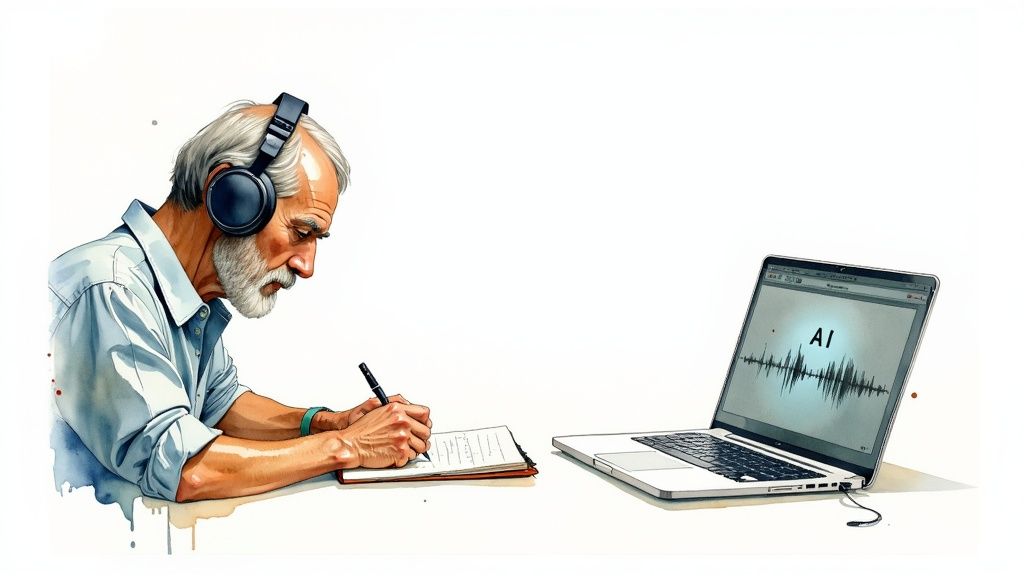
Creating subtitles used to be a completely different ballgame. We’ve gone from a slow, hands-on craft to a lightning-fast process driven by smart technology. Understanding how we got here is key to figuring out the best way to subtitle your own content, whether it’s a high-end film or a quick social media clip.
For years, the only way to get subtitles was to do it by hand. A professional would listen to the audio over and over, typing out every word and then painstakingly syncing each line to the exact moment it was spoken. It was pure, meticulous work.
This old-school method delivers incredible accuracy and can capture every bit of human nuance. But it has some major downsides. It’s incredibly slow—we’re talking hours of work for just a few minutes of video. That makes it expensive and a total non-starter for anyone who needs to pump out content regularly.
The Rise of AI and Automation
Then, AI-powered subtitling came along and changed everything. This new approach relies on Automatic Speech Recognition (ASR), which is basically a super-powered digital ear. An ASR system listens to your audio and spits out a written transcript in almost no time at all.
This was a massive leap forward for creators. A job that used to eat up an entire day can now be knocked out in minutes. This is the power that tools like Typist put in your hands, giving you accurate, perfectly timed subtitles with very little fuss. It’s a perfect fit for things like online courses, marketing videos, and podcasts.
For a deeper dive into the tech, you can always check out the different perspectives we share over on the Typist blog: https://iamtypist.dev/blog.
Manual vs. AI: A Head-to-Head Comparison
To really see the difference, it helps to put the two methods side-by-side. While both have their uses, the advantages of AI are pretty obvious for most of today's content needs.
Here’s a quick breakdown to help you decide which approach makes the most sense for your project.
Manual vs AI-Powered Subtitle Generation at a Glance
| Feature | Manual Generation | AI-Powered Generation |
|---|---|---|
| Speed | Extremely slow (hours per minute of video) | Incredibly fast (minutes for an hour of video) |
| Cost | High (requires skilled professionals) | Low (affordable subscription models) |
| Scalability | Low (very hard to handle lots of content) | High (processes videos in bulk with ease) |
| Initial Accuracy | Very high (human precision) | High (95%+ with clear audio) |
| Best For | High-budget films, nuanced artistic projects | Social media, corporate videos, online courses |
As you can see, for everyday content, the speed and affordability of AI are tough to beat.
This isn’t just a small trend; it reflects a massive market shift. The global demand for subtitle generators is exploding. It's expected to grow at a Compound Annual Growth Rate (CAGR) of 18% through 2033, largely because ASR technology now hits accuracy rates between 90% and 98%.
So, while a big Hollywood studio might still invest in manual subtitling for a blockbuster film, an AI tool gives everyone else the power to create accessible and engaging content quickly. To learn more about how this technology can help you, check out this ultimate content creator guide on Artificial Intelligence Subtitles.
How AI Is Changing the Subtitle Game
Need subtitles? Show notes? Meeting minutes?
Export your transcript to SRT, PDF, DOCX, or TXT — all from one upload
Not too long ago, creating subtitles was a painfully slow and manual job. It meant hours of listening, typing, and meticulously timing every single line. Now, artificial intelligence has completely flipped the script, turning that tedious task into something you can get done in the time it takes to make a coffee.
This isn't just about saving a few hours. AI makes high-quality subtitles a realistic option for everyone, from independent creators to large companies.
A modern AI-powered workflow, like the one we've built at Typist (https://iamtypist.dev), is incredibly simple. You start by uploading your video or audio file. From there, the AI takes over, using advanced speech recognition to listen to the dialogue and convert it into text.
But just getting the words right is only half the battle. Today's AI also creates perfectly synchronized timestamps for every line, making sure the text appears on screen at the precise moment it's spoken. This is a huge deal—it automates a step that used to require a ton of manual tweaking.
From Words to Perfectly Timed Text
The real magic of AI is its ability to make sense of messy, real-world audio. The best models can accurately:
- Identify Different Speakers: The AI can tell one voice from another, which is a lifesaver when you're subtitling interviews or group discussions.
- Understand Various Accents: Modern systems are trained on massive audio datasets from around the globe, so they can reliably handle a wide range of accents and dialects.
- Filter Out Background Noise: Smart algorithms are designed to zero in on spoken words while ignoring distracting ambient sounds, resulting in a much cleaner and more accurate transcript.
What you get at the end is a professional subtitle file (like an SRT or VTT) that’s ready to go. The industry is exploding—forecasts show the AI subtitle generation market is set to grow at a CAGR of 22.7%, rocketing past a value of $8.13 billion by 2033. This boom is all thanks to constant AI improvements, which you can dive into in our article on building the fastest AI audio transcription. You can also explore market trends in recent analysis from industry experts at DataIntelo.
Start transcribing with Typist →
The Human Touch Still Matters
Even with today’s incredible technology, the best results come from pairing AI's raw speed with a quick human review.
The most effective workflow marries AI efficiency with human oversight. Let the AI do 95% of the heavy lifting, then spend a few minutes polishing the output to catch any nuances, proper nouns, or specific jargon the AI might have missed.
This hybrid approach gives you the best of both worlds: the massive time savings from AI, combined with the near-perfect accuracy of a final human check.
Best Practices for High-Quality Subtitles
Upload a file. Get text back. That simple. Try it free
Getting subtitles with AI is unbelievably fast, but that raw text is just the starting point. To create a truly professional viewing experience, you need to add a human touch. Great subtitles are more than just accurate words; they should feel so natural that the viewer barely notices them.
Think of the AI as a highly-skilled assistant who creates the first draft. Your job is to step in as the editor, adding the final polish. This "human-in-the-loop" workflow gives you the best of both worlds: the raw speed of automation and the subtle understanding of a human review. It’s a simple process that focuses on making the text readable and perfectly timed.
This infographic breaks down the basic three-step workflow for AI subtitling.
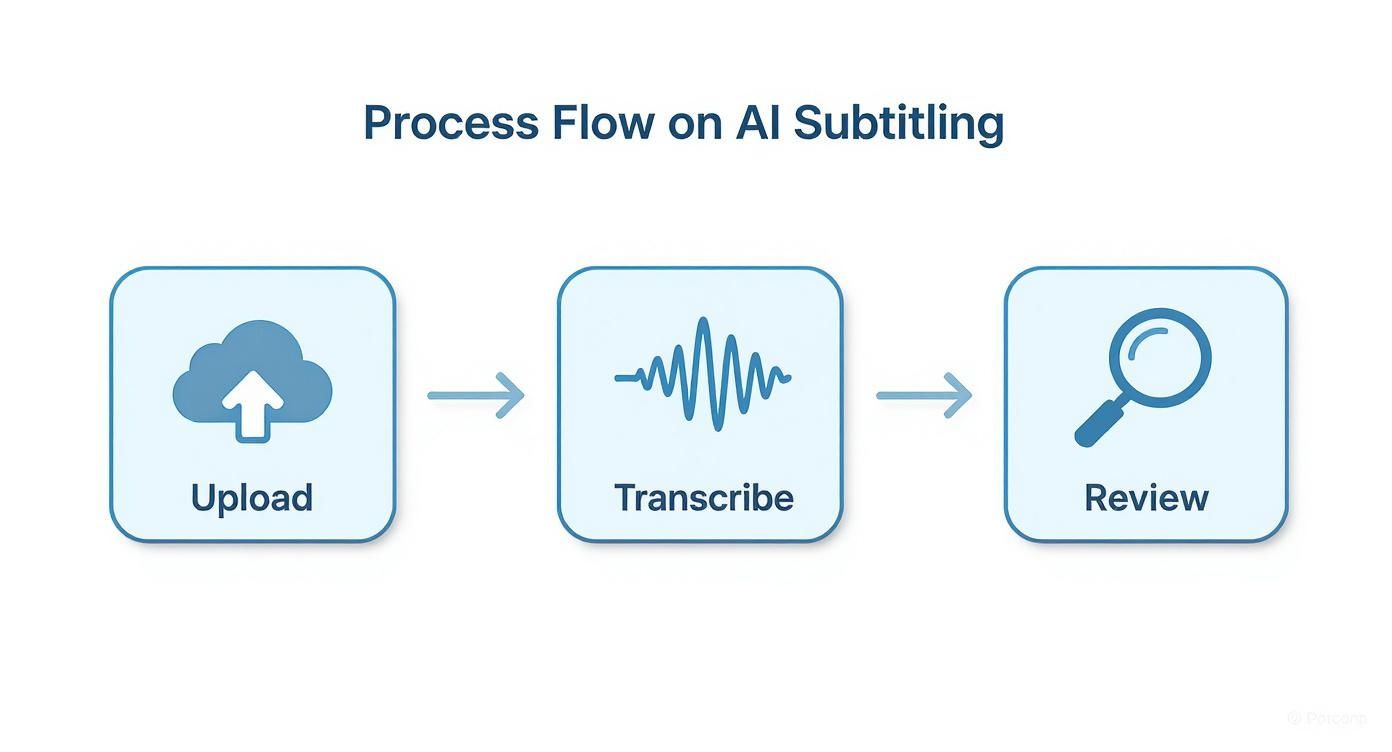
As you can see, it's a straightforward path: upload your video, let the AI do the heavy lifting of transcription, and then jump in for that critical final review to make sure everything is perfect.
Fine-Tune Your Timing and Synchronization
If there's one golden rule in subtitling, it's this: the text must appear and disappear exactly when the words are spoken. When subtitles lag behind or jump ahead, it’s incredibly distracting and can completely pull your audience out of the moment.
While AI tools like Typist (https://iamtypist.dev) get the initial timing very close, it always pays to do a quick spot-check. Just play the video with the subtitles on and make sure they feel right and match the speaker's rhythm. This one small step makes a huge difference in how professional the final product feels.
Respect Character and Line Limits
You never want your subtitles to look like a wall of text on the screen. To keep things clean and easy to read, professionals stick to a few key guidelines.
- Characters Per Line (CPL): Keep each line to a maximum of 42 characters. This stops the text from stretching awkwardly across the entire screen.
- Line Breaks: Never use more than two lines of text at a time. When you do need a second line, try to break it at a natural point in the sentence, like after a comma or before a conjunction.
The goal is to make the subtitles complement the video, not compete with it. Sticking to these limits ensures the viewer can read and understand them without any effort.
Include Important Non-Speech Sounds
Subtitles aren't just for dialogue. To create a truly accessible experience for viewers who are deaf or hard-of-hearing, you need to include key sounds that add context. Just use brackets to describe them.
Here are a few common examples:
[music playing][audience applauds][door slams][phone rings]
These little descriptions provide crucial information that would otherwise be lost. For more specifics on content standards, you can always check out the Typist terms of service.
Lastly, always give your subtitles a final proofread. AI is remarkably accurate, but it can occasionally stumble on things like unique names, industry-specific terms, or brand names. A quick scan to fix any small spelling or punctuation mistakes is the last step to achieving a flawless result.
Start transcribing with Typist →
The Business Case for Subtitle Generation
Adding subtitles to your videos isn't just a box to tick for accessibility—it's a smart business decision that delivers tangible results. Think of it as an upgrade that turns your video content into a much more powerful tool for growth, directly impacting your bottom line.
When you start generating subtitles, you set off a chain reaction of benefits. It all starts with getting found on Google and ends with reaching new customers around the world. Let's walk through how this actually works.
Boost Your SEO and Discoverability
One of the most powerful, and often missed, advantages of subtitles is how they help your SEO. Search engines like Google can't "watch" your videos to figure out what they're about. They rely on text.
By attaching a subtitle file to your video, you’re basically handing the search engine a complete, word-for-word transcript. This means every single thing you say in your video becomes searchable, helping you show up for highly specific, long-tail keywords that people are typing into Google. It's a simple move that can bring a lot more organic traffic your way.
Skyrocket Viewer Engagement
Let's face it: most people scroll through social media with the sound off. Whether they're on a bus, in a quiet office, or just prefer silence, your spoken message is completely lost on them without subtitles.
Subtitles instantly hook viewers and pull them into your story, even without a single sound. This small addition makes a huge difference, leading to longer watch times and better engagement.
The numbers don't lie: 69% of people watch videos without sound when they're in public. On top of that, videos with subtitles get shared 15% more on social media.
This extra engagement tells platforms like Facebook and Instagram that your content is high-quality, which can lead to them showing it to even more people.
Unlock Global Markets
Your message could connect with people all over the world, but language is a huge barrier. Manual translation can be a slow, expensive headache, but having a subtitle file completely changes the game.
Once you have an accurate transcript from a tool like Typist (https://iamtypist.dev), getting it translated into other languages is surprisingly easy and affordable. This single step opens your content up to new international markets, expanding your reach far beyond your home country.
Whether it’s for a marketing campaign or a company-wide training video, translated subtitles are a cost-effective way to take your message global. For any business thinking about expansion, the Typist platform is a great place to start.
Ultimately, whether you're making ads, online courses, or internal updates, adding subtitles is a high-return investment that makes your brand more visible and more impactful.
Frequently Asked Questions About Subtitle Generation
When you're just getting started with creating subtitles, a few questions always seem to pop up. From understanding the jargon to wondering if AI is really good enough, getting these basics down will make your entire workflow much smoother. Let's tackle some of the most common ones.
What’s the Difference Between Subtitles and Captions?
It’s easy to mix these two up because they look so similar on screen, but they’re designed for different audiences.
Think of it like this: subtitles are for people who can hear the audio but don't understand the language. Captions are for people who can't hear the audio at all.
- Subtitles focus purely on translating the spoken dialogue. They assume you can hear everything else, like music or sound effects.
- Captions (often called closed captions or CC) are a full transcript of the audio experience. They don't just include dialogue; they also describe important sounds like
[upbeat music]or[door creaks]to give context to viewers who are deaf or hard-of-hearing.
What Is an SRT File?
An SRT file is the gold standard for subtitles. It’s a simple text file that acts like a script for your video, telling it exactly what words to show and when.
Each entry in an SRT file has three parts: a number to keep things in order, the precise start and end timecodes, and the subtitle text itself. Video players read these timecodes and flash the right text on screen at the perfect moment. This is exactly what tools like Typist (https://iamtypist.dev) create for you automatically, saving you from the headache of manually syncing every single line.
How Accurate Is AI Subtitle Generation?
The good news is, today's AI has gotten incredibly good. For videos with clear audio, it's common to see accuracy rates of 95% or even higher. It’s pretty impressive.
Of course, no technology is perfect. The AI can get tripped up by things like:
- Loud background noise
- Thick accents
- Multiple people talking at once
That’s why the best workflow is often a human-AI team-up. Let an AI tool do the heavy lifting—getting that first 95% done in seconds. Then, you can sweep in for a quick final review to polish it up, catching any odd words or correcting the spelling of a name.
This hybrid approach gives you the speed of automation with the polish of a human touch. And when you use a tool for this, it's important to know your data is handled correctly. You can see how we approach this by reading the Typist privacy policy.
Ready to stop timing subtitles by hand and let automation do the work? With Typist, you can turn a tedious, hours-long task into a quick and easy one.
Record once, transcribe instantly. Search, export, and reference later Try it free